Table of Contents
Introduction: Best Laptops For Photographers 2025
The best laptops for photographers 2025 is no longer just about capturing images it’s about processing massive RAW files, editing in high resolution, and delivering color-perfect visuals across platforms. Whether you’re a professional photographer, content creator, or hobbyist, your laptop acts as your digital darkroom.
Choosing the right laptop is crucial because modern photography workflows demand powerful processors, color-accurate displays, fast storage, and reliable battery life. With advancements like OLED panels, AI-powered editing tools, and high-performance CPUs, laptops in 2025 are more capable than ever.
In this comprehensive guide, we will explore the best laptops for photographers in 2025, key features to consider, and detailed comparisons to help you make the right choice.
Why Photographers Need a Powerful Laptop in 2025
Photographers rely heavily on best laptops for photographers 2025:
- RAW photo editing (Lightroom, Photoshop, Capture One)
- Color grading and retouching
- File organization and backup
- Client presentations and portfolio management
- Video editing (increasingly common)
Modern cameras produce extremely high-resolution files, often exceeding 50MP. Editing these images requires serious computing power and efficient storage solutions. According to industry insights, laptops must combine strong CPUs, sufficient RAM (at least 16GB), and high-speed SSDs for smooth editing workflows.
Key Features to Look for in a Photographer Laptop
Before diving into the best laptops, let’s understand what actually matters.
1. Display Quality (Most Important)
The display is the heart of a photographer’s laptop.
- Minimum 100% sRGB
- Prefer 100% AdobeRGB or DCI-P3
- OLED or IPS panels
- Factory calibration preferred
Color accuracy ensures your edits match real-world output.
2. Processor (CPU)
- Apple M-series (M3, M4, M5)
- Intel Core i7/i9 or Ultra processors
- AMD Ryzen 7/9
A fast processor ensures smooth editing, batch exports, and multitasking.
3. RAM
- Minimum: 16GB
- Recommended: 32GB+
More RAM helps handle large RAW files and multiple layers in Photoshop.
4. Storage
- SSD is mandatory
- Minimum 1TB recommended
Photographers deal with massive file libraries.
5. GPU (Graphics)
- Essential for AI editing and video
- NVIDIA RTX or Apple integrated GPUs
6. Battery Life
- Especially important for travel photographers
7. Portability & Build
- Lightweight for travel
- Durable build
Best Laptops for Photographers 2025
Below are the best laptops based on performance, display, portability, and value.
Best Overall Laptop for Photographers
Apple MacBook Pro (M3/M5 Series)
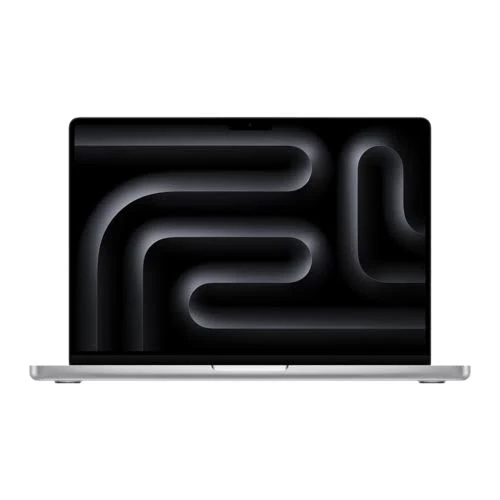
Apple MacBook Pro M3 Laptop ₹2,44,900•APPLiFY + others
The MacBook Pro remains the gold standard for photographers in 2025. With Apple’s powerful M-series chips, it delivers unmatched performance and efficiency.
Key Features:
- Liquid Retina XDR display (incredible color accuracy)
- Long battery life (10–18 hours)
- Silent operation
- Optimized for Adobe tools
Why It’s Best:
Experts consistently rank MacBook Pro as the top choice due to its performance, display quality, and reliability.
Best Windows Laptop for Photographers
Dell XPS 15 (OLED)
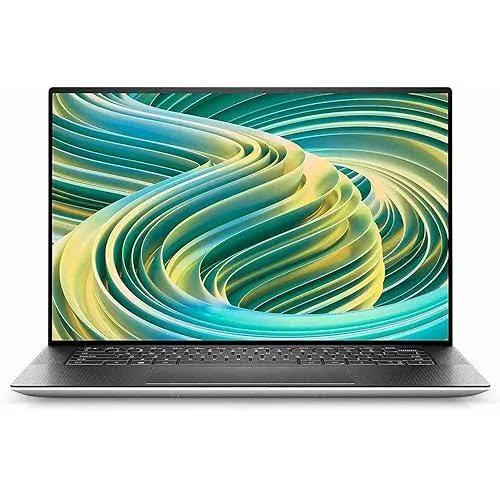
Dell XPS 15 OLED (i9, RTX 4060) · ₹5,27,706
Premium Windows laptop with stunning OLED display and powerful specs for editing and creative workflows.
The Dell XPS 15 is a favorite among Windows users.
Key Features:
- 3.5K OLED display
- Intel Core i7/i9 processors
- Dedicated GPU options
- Premium build quality
Best For:
Photographers who prefer Windows with premium design.
Best Laptop for Creative Professionals
ASUS ProArt Studiobook 16
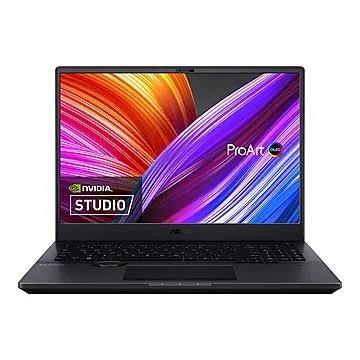
ASUS ProArt Studiobook 16 OLED · ₹1,86,925
Creator-focused laptop with OLED display and advanced tools like dial control for precision editing.
Designed specifically for creators.
Key Features:
- OLED 4K display
- ASUS Dial for editing control
- High-end GPU
- Color-calibrated screen
Why It Stands Out:
Built for creative professionals with workflow enhancements.
Best Workstation Laptop
Lenovo ThinkPad P1 Gen 6
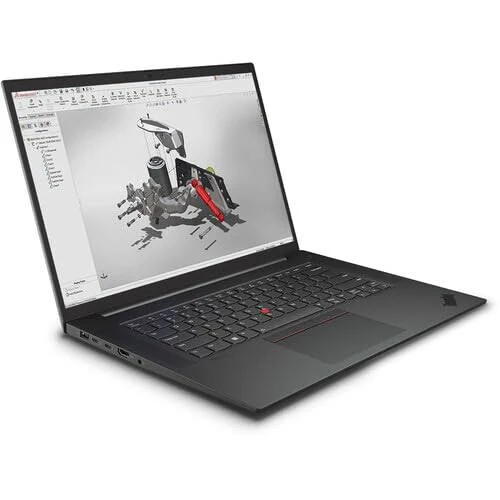
Lenovo ThinkPad P1 Gen 6 Workstation · ₹3,59,280
Powerful mobile workstation built for heavy RAW processing and professional workloads.
Perfect for heavy editing workloads.
Key Features:
- Professional GPU (RTX Ada series)
- Strong build quality
- Enterprise-grade performance
Best Budget Laptop for Photographers
HP Victus
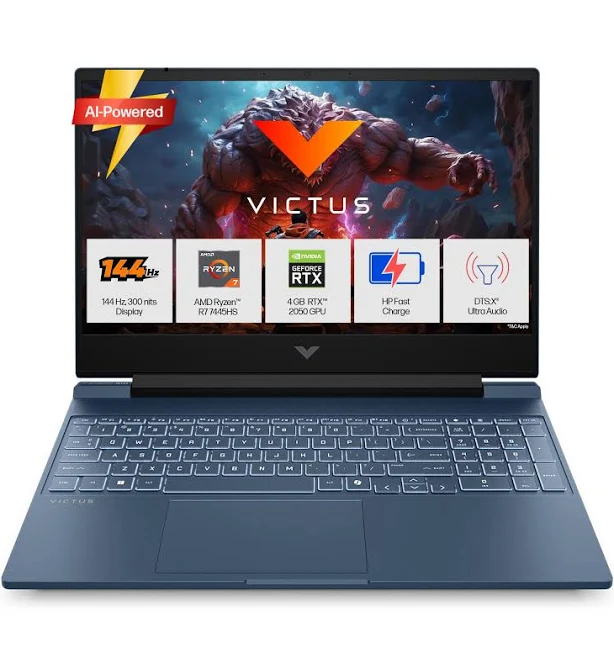
HP Victus Gaming Laptop · ₹65,000
Affordable option offering decent performance for beginner photographers and light editing tasks.
Key Features:
- Affordable price
- Decent GPU
- Good for beginners
PRODUCT COMPARISON TABLE
| Attribute | Apple MacBook Pro M3 Laptop₹2,44,900•APPLiFY + others | Dell XPS 15 OLED₹5,27,706•desertcart.in | ASUS ProArt Studiobook 16₹1,86,925• Gadgets Now + others | Lenovo ThinkPad P1 Gen 6₹3,59,280•desertcart.in + others | HP Victus₹65,000•Amazon.in + others |
|---|---|---|---|---|---|
| Display | Liquid Retina XDR | OLED 3.5K | OLED 4K | IPS/OLED options | IPS |
| Color Accuracy | Excellent | Excellent | Professional-grade | Very good | Average |
| Performance | Outstanding | High | Very high | Extreme | Moderate |
| GPU | Integrated (powerful) | RTX 4060 | RTX series | RTX Ada | Entry GPU |
| Battery | Excellent | Good | Moderate | Moderate | Average |
| Best For | Professionals | Windows users | Creators | Workstations | Beginners |
Mac vs Windows for Photographers
Mac Advantages:
- Better battery life
- Optimized software
- Superior display consistency
Windows Advantages:
- More hardware options
- Better customization
- Often cheaper
Community feedback suggests many photographers prefer Mac for Lightroom/Photoshop performance, but Windows laptops like XPS and ProArt are equally capable.
Best Laptops by Use Case
For Travel Photographers
- MacBook Air / MacBook Pro 14
- Lightweight, long battery
For Studio Professionals
- MacBook Pro 16
- ThinkPad P1
For Beginners
- HP Victus
- Mid-range ASUS laptops
For Hybrid Creators
- ASUS ProArt
- Dell XPS
Future Trends in Photography Laptops (2025–2027)
- AI-powered editing (faster workflows)
- OLED and mini-LED dominance
- ARM-based processors (Apple + Windows)
- Cloud-based workflows
- Better battery optimization
Expert Tips Before Buying
- Always prioritize display over GPU
- Get at least 16GB RAM
- Invest in color calibration tools
- Choose SSD over HDD
- Avoid cheap displays (low color gamut)
Final Buying Recommendations
If you are confused, here’s a quick summary:
- Best Overall: MacBook Pro
- Best Windows: Dell XPS 15
- Best Creative Tool: ASUS ProArt
- Best Workstation: ThinkPad P1
- Best Budget: HP Victus
Conclusion
Choosing the best laptop for photography in 2025 depends on your workflow, budget, and editing needs. A perfect laptop should deliver excellent color accuracy, powerful performance, and reliable storage to handle modern photography demands.
For professionals, investing in a high-end device like the MacBook Pro or Pro Art Studio book ensures smooth editing and long-term reliability. Meanwhile, beginners can start with budget-friendly options and upgrade later.
Ultimately, your laptop should not just support your work it should enhance your creativity. The right choice will help you edit faster, work smarter, and produce stunning visuals with confidence.