Table of Contents

Introduction: Best Laptop for Coding Under ₹80,000
The best laptop for coding under ₹80,000 in India can be confusing because hundreds of options are available with different processors, RAM capacities, and display types. Developers, students, and programming professionals need laptops that deliver reliable performance, strong multitasking capability, and comfortable keyboard experience for long coding sessions.
Whether you are learning Python, building web applications, developing Android apps, or working on machine learning projects, the right laptop plays a major role in productivity. A coding laptop must provide fast compilation speed, smooth multitasking, and long battery life.
In recent years, manufacturers have launched powerful laptops with advanced processors, faster RAM, and SSD storage even under ₹80,000. This budget segment now offers excellent value for programmers, students, and freelancers.
Why Choosing the Right Coding Laptop Matters
Coding is not just typing lines of code. It involves running heavy IDEs, debugging programs, handling multiple browser tabs, and sometimes running virtual machines or emulators. A slow laptop can significantly reduce productivity and cause frustration.
Here are key reasons why a powerful coding laptop is important:
1. Faster Code Compilation
Programming languages such as Java, C++, and Android development require strong processors. Faster CPUs reduce compilation time and improve workflow.
2. Smooth Multitasking
Developers often run multiple software tools simultaneously such as:
- VS Code or IntelliJ
- Web browsers with many tabs
- Database servers
- Docker or virtual machines
Higher RAM and SSD storage ensure smooth multitasking.
3. Long Battery Life
Coding students and professionals work from different locations. Good battery backup ensures uninterrupted workflow.
4. Comfortable Keyboard and Display
Long coding sessions require ergonomic keyboards and eye-friendly displays to reduce fatigue.
Minimum Laptop Requirements for Coding in 2026
Before selecting a laptop, it is important to understand the ideal specifications for programming.
Processor (CPU)
The processor is the most important component for coding laptops. Under ₹80,000, you should consider:
- Intel Core i5 12th or 13th Gen or higher
- Intel Core Ultra series processors
- AMD Ryzen 5 or Ryzen 7 processors
Modern processors provide better multitasking and performance for development tools.
RAM
RAM plays a major role in multitasking.
- Minimum: 8GB RAM
- Recommended: 16GB RAM
- Ideal for heavy coding and virtualization: 32GB RAM
Most experts suggest choosing laptops with at least 16GB RAM for smooth programming experience.
Storage
Always choose SSD storage.
- Minimum: 512GB SSD
- Recommended: 1TB SSD
SSD storage significantly improves boot time, software loading speed, and overall performance.
Display
Coding requires long screen time, so display quality matters.
- Minimum: Full HD (1920×1080)
- Preferred: IPS or OLED display
- Screen Size: 14 to 15.6 inches
Higher resolution and color accuracy reduce eye strain and improve readability.
Battery Life
Look for laptops providing at least 6-8 hours battery backup for portability.
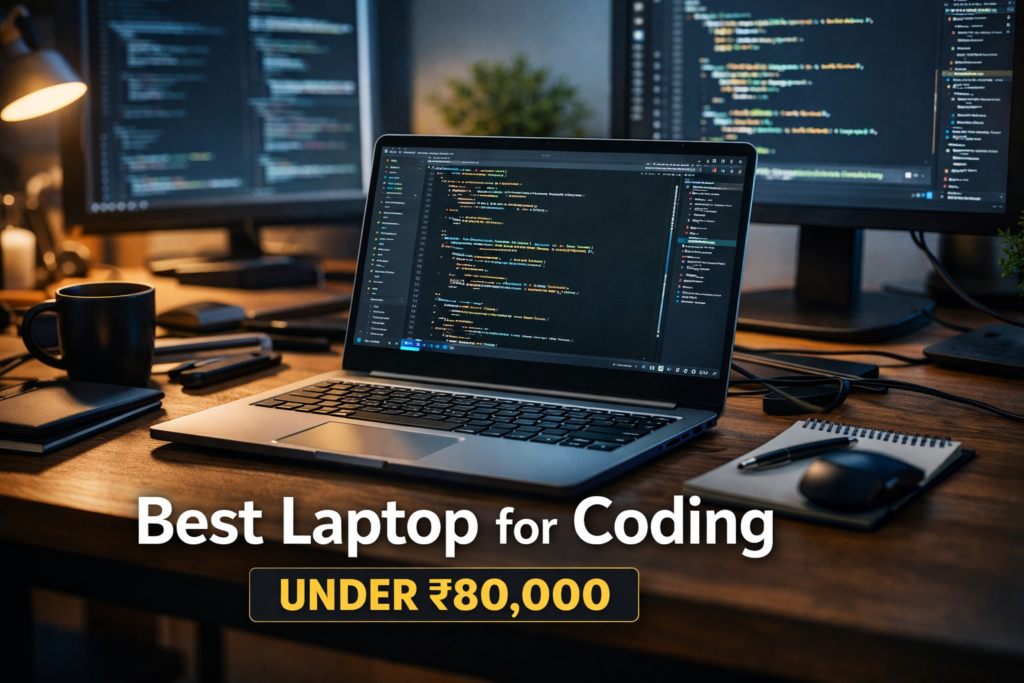
Best Laptop for Coding Under ₹80,000 in India
Now let’s explore the best laptop models suitable for coding within this budget.
1. Lenovo IdeaPad Slim 5 – Best Overall Coding Laptop
Specifications
- Processor: Intel Core Ultra 5 / Ryzen 5
- RAM: 16GB
- Storage: 512GB or 1TB SSD
- Display: 14-inch Full HD+ OLED
- Weight: Around 1.4 kg
- Battery: Up to 8 hours
Why This Laptop is Best for Coding
Lenovo IdeaPad Slim 5 is considered one of the best laptops for programmers because it offers excellent performance, lightweight design, and premium display quality. The laptop is equipped with fast LPDDR5X RAM and high-speed SSD storage, which improves multitasking performance.
The OLED display provides sharp text clarity, which helps developers read code comfortably for long hours. The laptop also includes a backlit keyboard, making it ideal for night coding sessions.
Performance Review
This laptop handles software development tools such as:
- Android Studio
- Visual Studio Code
- Python development environments
- Web development frameworks
The combination of powerful processor and fast RAM ensures smooth performance even with multiple applications running simultaneously.
Pros
✔ Lightweight and portable
✔ Excellent OLED display
✔ Strong multitasking performance
✔ Premium build quality
Cons
✘ Limited GPU performance
✘ Slightly expensive compared to competitors
2. ASUS VivoBook S14 – Best Lightweight Laptop for Developers
Specifications
- Processor: Intel Core i5 13th Gen
- RAM: 16GB DDR5
- Storage: 512GB SSD
- Display: 14-inch IPS Panel
- Battery Life: Up to 18 hours
- Weight: Around 1.4 kg
Why Developers Prefer ASUS VivoBook S14
ASUS VivoBook S14 is one of the most balanced laptops in this price range. It offers strong battery life, good performance, and stylish design. Developers who travel frequently or attend college prefer this laptop due to its lightweight design and long battery backup.
The laptop includes modern DDR5 RAM that improves multitasking performance. The IPS display ensures clear and sharp visuals, making it comfortable for programming tasks.
Coding Performance
This laptop works smoothly for:
- Web development
- Python programming
- Cloud development
- Basic machine learning tasks
It is ideal for students and entry-level developers.
Pros
✔ Excellent battery backup
✔ Portable design
✔ Fast DDR5 RAM
✔ Reliable performance
Cons
✘ No dedicated graphics card
✘ Average speaker quality
3. Acer Swift Go 14 – Best Premium Coding Laptop
Specifications
- Processor: Intel Core Ultra 7
- RAM: 16GB LPDDR5X
- Storage: 1TB SSD
- Display: 14-inch Touchscreen IPS
- Weight: Around 1.3 kg
Why Acer Swift Go is Perfect for Developers
Acer Swift Go 14 offers a premium design, powerful processor, and touchscreen functionality. Developers who prefer flexibility and productivity tools will find this laptop extremely useful.
The high-performance processor allows developers to run heavy IDEs, virtualization software, and container applications smoothly.
Coding Performance
This laptop performs extremely well for:
- Full-stack development
- Virtual machine testing
- Data science projects
- Backend development
Pros
✔ Powerful processor
✔ Premium lightweight design
✔ Excellent storage capacity
✔ Touchscreen support
Cons
✘ Slightly higher price
✘ RAM cannot be upgraded
4. HP Victus 15 – Best Laptop for Coding and Gaming
Specifications
- Processor: Intel Core i5 / AMD Ryzen 5
- RAM: 16GB
- Storage: 512GB SSD
- GPU: NVIDIA RTX 3050
- Display: 15.6-inch 144Hz
- Weight: 2.2 kg
Why Choose HP Victus 15
HP Victus 15 is ideal for developers who also enjoy gaming or graphics development. The dedicated RTX graphics card allows the laptop to handle game development, 3D modeling, and video editing.
Coding Performance
The laptop supports:
- Game development tools
- AI and machine learning projects
- Video editing software
- Heavy multitasking
Pros
✔ Dedicated GPU
✔ Powerful performance
✔ Good thermal management
✔ Ideal for gaming and coding
Cons
✘ Heavy and bulky
✘ Average battery life
Coding Laptop Comparison Table
| Laptop | Processor | RAM | Storage | Weight | Best For |
|---|---|---|---|---|---|
| Lenovo IdeaPad Slim 5 | Core Ultra 5 | 16GB | 1TB SSD | 1.4 kg | Overall Coding |
| ASUS VivoBook S14 | Core i5 13th Gen | 16GB | 512GB SSD | 1.4 kg | Students |
| Acer Swift Go 14 | Core Ultra 7 | 16GB | 1TB SSD | 1.3 kg | Professional Developers |
| HP Victus 15 | Core i5 + RTX 3050 | 16GB | 512GB SSD | 2.2 kg | Gaming + Coding |
How to Choose the Best Coding Laptop
1. Choose the Right Processor
Always select modern processors such as Intel 12th Gen or AMD Ryzen 5000 series or newer for smooth performance.
2. Prefer 16GB RAM
Modern development tools require higher memory for smooth operation.
3. Avoid HDD Storage
SSD storage is much faster and improves overall laptop performance.
4. Check Keyboard Comfort
A good keyboard improves coding productivity.
5. Focus on Build Quality
Durable laptops last longer and provide better reliability.
Best Laptop Based on Programming Type
Different programming fields require different laptop specifications. Choosing a laptop based on your coding field improves productivity and performance.
Best Laptop for Web Development
Web development usually involves working with HTML, CSS, JavaScript, frameworks like React, Angular, and backend tools like Node.js or PHP.
Recommended Specifications
- Intel Core i5 / Ryzen 5 processor
- 8GB to 16GB RAM
- 512GB SSD
- Lightweight design
- Good battery life
Best Options
👉 ASUS VivoBook S14
👉 Lenovo IdeaPad Slim 5
These laptops provide fast performance and smooth multitasking for web development projects.
Best Laptop for Machine Learning and AI Development
Machine learning requires high processing power and sometimes GPU support for model training.
Recommended Specifications
- Intel Core i7 / Ryzen 7 processor
- 16GB RAM minimum
- SSD storage (1TB recommended)
- Dedicated GPU preferred
Best Options
👉 HP Victus 15
👉 Acer Swift Go 14
These laptops can handle Python libraries, TensorFlow, and data science tools efficiently.
Best Laptop for Android App Development
Android Studio and emulators require powerful CPUs and higher RAM.
Recommended Specifications
- Intel Core i5 or higher
- 16GB RAM
- SSD storage
- Strong cooling system
Best Options
👉 Lenovo IdeaPad Slim 5
👉 Acer Swift Go 14
These laptops allow smooth app testing and emulator performance.
Best Laptop for Game Development
Game development involves graphics rendering, 3D modelling, and animation tools.
Recommended Specifications
- Dedicated GPU
- High refresh rate display
- 16GB RAM
- Fast processor
Best Option
👉 HP Victus 15
The RTX GPU helps in running Unity, Unreal Engine, and graphics design tools.
Important Features Programmers Should Consider
Keyboard Quality
Coding requires long typing sessions. A comfortable keyboard improves productivity and reduces finger fatigue.
Look for:
✔ Backlit keyboard
✔ Good key travel
✔ Soft tactile feedback
Cooling System
Programming software and compilation tasks generate heat. Poor cooling may slow down performance.
Choose laptops with:
✔ Efficient thermal management
✔ Dual cooling fans
✔ Good ventilation design
Display Comfort
Developers spend many hours looking at screen text. Poor displays can cause eye strain.
Choose:
✔ IPS or OLED panels
✔ Anti-glare display
✔ Full HD or higher resolution
Port Selection
Developers frequently connect external devices such as:
- External monitors
- USB drives
- Keyboard and mouse
- Ethernet cables
Make sure the laptop includes:
✔ USB Type-C
✔ USB Type-A
✔ HDMI Port
Intel vs AMD Processors for Coding
Both Intel and AMD processors provide excellent coding performance. Choosing the right one depends on your needs.
Intel Processors
Advantages
✔ Better single-core performance
✔ Strong compatibility with software tools
✔ Good for Android development
Best Intel Coding Processors
- Intel Core i5 12th / 13th Gen
- Intel Core Ultra Series
AMD Processors
Advantages
✔ Better multi-core performance
✔ Usually better battery efficiency
✔ Excellent multitasking capability
Best AMD Coding Processors
- Ryzen 5 5600H
- Ryzen 7 5800H
- Ryzen 7000 Series
8GB vs 16GB RAM for Programming
Many beginners ask whether 8GB RAM is enough for coding.
8GB RAM
Suitable for:
✔ Basic programming
✔ Web development
✔ Students learning coding
16GB RAM
Recommended for:
✔ Android development
✔ Virtual machines
✔ Data science projects
✔ Heavy multitasking
👉 Experts strongly recommend 16GB RAM for future-proof coding laptops.
SSD vs HDD Storage for Developers
Storage type plays a major role in system performance.
SSD Storage Benefits
✔ Faster boot time
✔ Faster software loading
✔ Smooth file transfer
✔ Better durability
HDD storage is slower and not recommended for programming laptops.
Battery Life Importance for Coding
Programmers often work from college, office, or remote locations. A laptop with good battery life improves productivity.
Look for laptops offering:
✔ Minimum 6 hours backup
✔ Fast charging support
✔ Power efficient processors
Tips to Maintain Coding Laptop Performance
Keep Software Updated
Updating operating systems and IDEs improves performance and security.
Use External Cooling Pad
Cooling pads help reduce laptop heating during heavy tasks.
Avoid Overloading Startup Programs
Too many background apps slow down laptop performance.
Upgrade RAM if Possible
RAM upgrades improve multitasking ability and increase laptop lifespan.
Common Mistakes While Buying Coding Laptop
Choosing Laptop Based Only on Price
Cheap laptops may lack performance and slow down development work.
Ignoring Keyboard Comfort
Poor keyboard design reduces typing speed and increases fatigue.
Buying Laptop with HDD Storage
HDD storage significantly slows down coding workflow.
Ignoring Future Upgrade Options
Choosing upgradeable RAM and storage improves laptop longevity.
Future Trends in Coding Laptops (2026 & Beyond)
Laptop technology is evolving rapidly, and programmers should stay updated with modern trends.
AI Integrated Processors
New processors include AI acceleration features that improve coding tools and automation.
OLED and High Refresh Rate Displays
These displays improve clarity and reduce eye strain.
Lightweight Premium Designs
Modern laptops focus on portability without compromising performance.
Improved Battery Efficiency
Manufacturers are developing power efficient processors for longer battery backup.
Best Laptop Recommendations Based on User Type
Students Learning Programming
👉 ASUS VivoBook S14
👉 Lenovo IdeaPad Slim 5
These laptops provide balanced performance and affordability.
Professional Developers
👉 Acer Swift Go 14
👉 Lenovo IdeaPad Slim 5
They offer strong multitasking and premium design.
Developers and Gamers
👉 HP Victus 15
Perfect for coding, gaming, and graphics development.
Frequently Asked Questions (FAQs)
Q1. Which laptop is best for coding under ₹80,000?
Lenovo IdeaPad Slim 5 is considered one of the best options due to its strong processor, 16GB RAM, and lightweight design.
Q2. Is 8GB RAM enough for programming?
8GB RAM is sufficient for basic coding tasks, but 16GB RAM is recommended for better performance and multitasking.
Q3. Which processor is best for coding?
Intel Core i5 12th Gen or AMD Ryzen 5 and above processors are ideal for programming laptops.
Q4. Do programmers need dedicated graphics cards?
Dedicated GPUs are useful for game development, AI projects, and graphics work but not mandatory for basic coding.
Q5. Is SSD necessary for programming laptops?
Yes, SSD storage significantly improves speed and performance compared to traditional HDD storage.
Conclusion
Choosing the best laptop for coding under ₹80,000 requires careful consideration of performance, RAM capacity, storage speed, display quality, and battery life. Modern laptops in this budget range provide excellent value and are capable of handling programming tasks efficiently.
Lenovo IdeaPad Slim 5 stands out as the best overall coding laptop due to its balanced performance, premium design, and reliable battery life. ASUS VivoBook S14 is an excellent choice for students and beginners looking for lightweight portability and long battery backup. Acer Swift Go 14 offers premium performance suitable for professional developers and multitasking environments. HP Victus 15 is the best option for users who require gaming and graphics development capabilities along with programming performance.
Before purchasing a coding laptop, users should evaluate their programming requirements, future upgrade options, and overall usability. Investing in a laptop with modern processors, 16GB RAM, and SSD storage ensures long-term performance and productivity. With the right laptop, programmers can enhance efficiency, improve workflow, and achieve better coding results in 2026 and beyond.