
Table of Contents

Introduction: (Best Connectivity Upgrades Wi-Fi 7, 5G Remote-Support Laptops 2025)
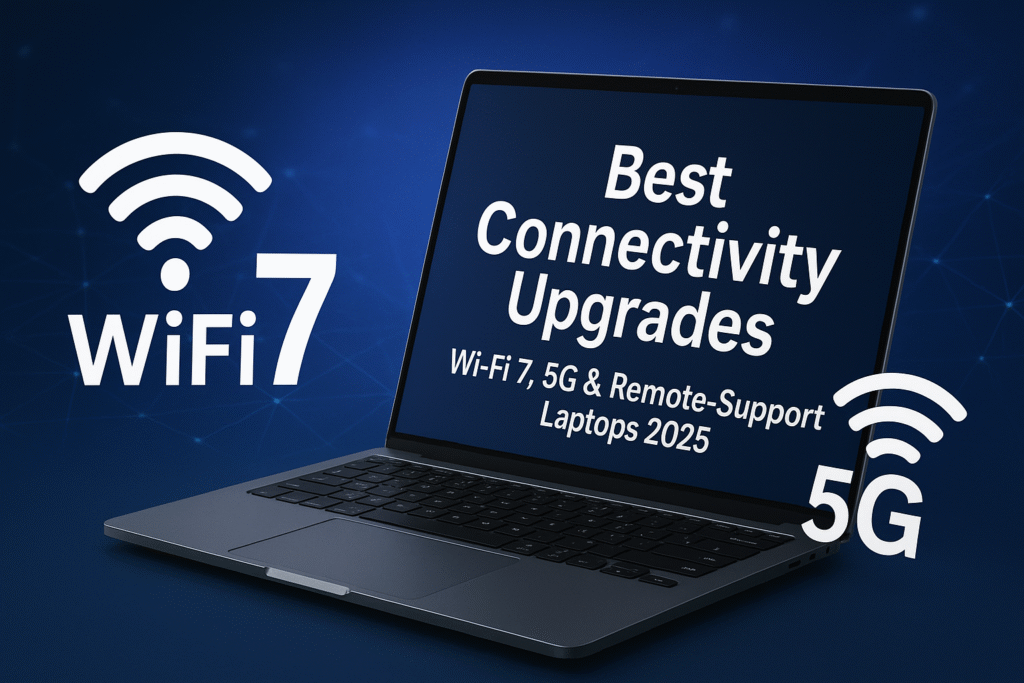
Best Connectivity Upgrades Wi-Fi 7, 5G Remote-Support Laptops 2025 that recently, buyers focused on CPU, GPU, memory and display. In 2025, connectivity has graduated from “nice to have” to a first-class requirement. Hybrid work, cloud editing, live streaming, cloud gaming and AR/VR collaboration push laptops to rely on the network as an extension of their own hardware performance, a fast, low-latency connection is now essential to the experience.
Two core technologies dominate this upgrade Wi-Fi 7 faster, lower latency, more reliable local wireless and 5G cellular, always-on access outside Wi-Fi. Complementing them are smarter remote-support and security features which make managing, protecting and collaborating with remote devices easier for both individuals and IT teams.
2. The connectivity timeline from Wi-Fi 5 to Wi-Fi 7 and 5G adoption
A quick recap helps highlight the jump of this best connectivity upgrades Wi-Fi 7, 5G remote-support laptops 2025:
- Wi-Fi 5 (802.11ac): Wide adoption, focused on improved throughput over 802.11n.
- Wi-Fi 6 / 6E (802.11ax): Introduced OFDMA, better multi-user efficiency and the 6 GHz band (6E) good for congestion.
- Wi-Fi 7 (802.11be): Introduces multi-link operation, wider channels and new modulation schemes to multiply throughput and reduce latency; early commercial devices and certified routers began appearing in 2024–2025.
Simultaneously, 5G moved from niche mobile devices to wider laptop adoption. Vendors began shipping thin & light business machines and convertibles with integrated 5G modems or eSIM support to give users reliable cellular fallback or primary connectivity when Wi-Fi isn’t available. Reviews and buying guides in 2025 list several Windows machines with first-class 5G support.
3. What Wi-Fi 7 actually brings plain language explanation
Wi-Fi 7 is more than faster numbers it is architectural enhancements that change how devices use the wireless medium for best connectivity upgrades Wi-Fi 7, 5G remote-support laptops 2025:
Key features : explained simply
- Multi-Link Operation (MLO): A device can use multiple radio links (e.g., 2.4GHz, 5GHz and 6GHz) simultaneously. The result: either aggregated throughput (faster downloads/uploads) or redundancy (switch to another link without interruption for ultra-low latency). This improves both speed and reliability in real environments.
- Wider channels (320 MHz): Wi-Fi 7 supports very wide channels (up to 320 MHz contiguous or aggregated) which raises raw throughput potential—beneficial for huge file transfers, cloud video editing and VR streaming.
- Higher order modulation (4K-QAM / 4096-QAM): This packs more data into each radio symbol, improving peak throughput (useful when signal quality is high).
- Deterministic/low latency improvements: Protocol changes and MLO help reduce jitter and latency, which directly benefits cloud gaming, real-time collaboration and remote desktop experiences.
What users will feel
- Faster large uploads/downloads (e.g., syncing multi-GB projects to cloud storage).
- Far fewer stalls or lag spikes during video calls and games in congested Wi-Fi environments (airports, cafes, apartment buildings).
- Better reliability for VR/AR applications and multi-stream 4K/8K media streaming.
Practical note: Wi-Fi 7’s promise depends on the whole ecosystem client laptop, router/AP and ISP backhaul. To see the full benefits you often need a Wi-Fi 7 access point or router at home/office.
4. 5G in laptops what it is and what it isn’t
Integrated 5G gives laptops an “always-available” internet pipe that does not rely on local Wi-Fi. There are different ways 5G appears in laptops:
- Embedded 5G modems (WWAN): Built into the device often with an eSIM, these provide cellular connectivity out of the box. Great for business users and travelers.
- External 5G hotspots / tethering: Use your phone’s 5G or a dedicated pocket router works for occasional use but adds a device.
- Carrier-enabled devices and certified modules: Some business models offer enterprise-grade 5G with remote provisioning and SIM management.
Benefits
- Connectivity anywhere: No dependence on public Wi-Fi. Essential for on-the-go professionals, journalists, field engineers.
- Improved privacy & security: Cellular connections are typically safer than open public Wi-Fi though organizations should still use VPNs.
- Fallback & redundancy: Auto-failover to 5G keeps meetings, VPN tunnels and cloud syncs working.
Limitations and realistic expectations
- Coverage & speed vary: 5G performance depends on carrier, local coverage, spectrum bands and whether mmWave or sub-6 GHz is available in the area. In some places 5G is faster than many home connections; in others it’s close to or even below LTE speeds.
- Power impact: Active 5G radios use battery; manufacturers compensate with bigger batteries and smarter power management, but expect a hit under heavy cellular use.
- Cost & plans: Adding 5G often means a data plan; for heavy users, plan costs matter.
5. Remote-support & hybrid-work features that amplify connectivity
Connectivity is the pipebremote-support and software are how organizations and users extract value.
Key remote/enterprise features
- Cloud-based device management (MDM/UE-M): IT teams can push updates, remote wipe, and run diagnostics without physical access. This reduces downtime and improves security posture.
- AI-Enhanced conferencing tools: Auto-framing, background removal, intelligent noise cancellation and bandwidth-adaptive video improve the perceived quality of meetings even on limited networks.
- Edge/Cloud collaboration suites: Apps that offload heavy workloads to the cloud (render farms, cloud IDEs, GPU-accelerated editing) rely on low latency and stable connections Wi-Fi 7 and 5G make these workflows far more practical at scale.
- Zero-trust & hardware security: TPM, secure boot, biometric locks and hardware-backed VPN clients reduce risk when users connect from different networks.
These features are being bundled and marketed as part of “productivity” or “business” tiers by major OEMs, but many consumer laptops also include AI meeting features and enhanced security now.
6. Best laptop categories for connectivity: Who should buy what
The different users have different connectivity priorities of the best connectivity upgrades Wi-Fi 7, 5G remote-support laptops 2025. Below is a quick map:
- Frequent travelers / field workers: Prioritize integrated 5G + eSIM support, long battery life and LTE fallback.
- Hybrid workers and video-heavy professionals: Prefer Wi-Fi 7 for office/home reliability and features like hardware AI for meetings.
- Creators & streamers: Need both Wi-Fi 7 for home studio throughput and optional 5G for uploads when on location.
- Gamers: Low latency from Wi-Fi 7 matters; 5G is a nice backup but not a replacement for wired connections where available.
- Students in shared housing or dorms: Wi-Fi 7 helps in congested networks; 5G for campus mobility can be useful.
7. Notable 2025 Laptop: Examples and real features to watch
The notable for this best connectivity upgrades Wi-Fi 7, 5G remote-support laptops 2025:
- Acer Aspire Vero 16 (2025): Eco-focused business laptop that includes Wi-Fi 7 connectivity and long battery life, illustrating how mainstream models now include Wi-Fi 7.
- Surface Pro (2025 / Surface Pro 11 family with cellular options): Microsoft’s convertible tablets and pros often lead on optional WWAN/5G variants; buying guides list Surface models among the best 5G Windows devices in 2025.
- Flagship gaming and creator machines (ASUS ROG / Dell XPS / MSI / Alienware): Many flagship lines in 2025 offer Wi-Fi 7 as standard or configurable; Dell even highlights specific “Wi-Fi 7” laptop ranges.
Important: models and configurations vary by region and SKU Wi-Fi 7 and 5G may be optional instead of standard. Always check the exact SKU’s specs WWAN module installed, Wi-Fi chipset vendor: Intel/Qualcomm/Broadcom.
8. Buying checklist how to choose the right Wi-Fi 7 / 5G laptop in 2025
Use this practical checklist before clicking “buy” for the best connectivity upgrades Wi-Fi 7, 5G remote-support laptops 2025:
- Confirm the exact connectivity hardware
- Does the SKU include Wi-Fi 7 (802.11be) or just Wi-Fi 6E?
- Is the WWAN modem embedded (with eSIM) or just “optional”?
- Carrier & band compatibility (for 5G)
- Which 5G bands does the modem support? Will it work with your carrier in your country?
- Battery & power management
- Heavy 5G use drains battery check official battery tests and real user reports.
- Router/AP compatibility
- If you want full Wi-Fi 7 performance at home/office, you’ll need a Wi-Fi 7 router or AP; otherwise gains may be limited.
- Security & enterprise features
- TPM, optional discrete security modules, Windows/Apple/Vendor remote management compatibility.
- Thermals & antenna design
- Good antenna placement matters for consistent Wi-Fi & 5G performance read hands-on reviews.
- Software & vendor updates
- Manufacturers that push firmware and driver updates regularly will improve long-term connectivity performance.
9. Real-world scenarios – How next-gen connectivity changes workflows
Concrete examples make the benefits tangible:
Scenario A – The traveling consultant
You are at a client site with no trusted Wi-Fi. A laptop with embedded 5G + eSIM auto-connects, your VPN establishes, and you continue a Teams/Zoom call with zero setup. Large deliverables sync to cloud storage from the hotel parking lot.
Scenario B – Remote design collaboration
A creative team co-edits 8K footage stored in a cloud workstation. Using Wi-Fi 7 MLO across an office 6 GHz channel and a 5 GHz backup, latency is stable and upload throughput matches the demands of cloud rendering.
Scenario C – Competitive gaming at a LAN cafe
The café’s Wi-Fi is congested. Wi-Fi 7’s deterministic latency and MLO keep packet jitter low your input lag decreases vs older Wi-Fi versions, and you avoid match-ending spikes.
10. Top Recommendations: By user type
These are classes of recommendation rather than single SKU endorsements check exact SKUs and regional availability for best connectivity upgrades Wi-Fi 7, 5G remote-support laptops 2025:
- Best for frequent travelers: Lightweight business laptop with embedded 5G, eSIM support, good battery life, and managed security e.g., business ThinkPad/XPS variants with WWAN options.
- Best for home/office power users: Ultraportable with Wi-Fi 7 and strong thermal headroom; pair with a Wi-Fi 7 router to get max benefit.
- Best for creators & streamers: Larger chassis with Wi-Fi 7, high-bandwidth ports and optional 5G for remote shoots; look for models with strong upload speeds and NVMe SSDs.
- Best for gamers: Laptops that explicitly advertise Wi-Fi 7 support and low-latency networking, plus options for wired Ethernet or 5G backup.
11. Frequent Ask Question (FAQ)
Generally people asks some questions about the best connectivity upgrades Wi-Fi 7, 5G remote-support laptops 2025:
Q: Is Wi-Fi 7 worth it in 2025?
A: Yes, if you need lower latency, higher peak throughput, and improved reliability in crowded networks; to realize full benefits you’ll want a Wi-Fi 7 router/AP.
Q: Do I need 5G in my laptop?
A: If you work frequently outside trusted Wi-Fi (travelers, field staff, journalists), 5G adds consistent, private connectivity. For home-only users, fast Wi-Fi (and a good ISP) often suffices.
Q: Will Wi-Fi 7 replace Ethernet?
A: No, wired Ethernet remains the lowest latency and most consistent option for pro-level streaming and esports. Wi-Fi 7 narrows the gap for wireless use but doesn’t eliminate wired advantages.
Q: Does Wi-Fi 7 require new hardware?
A: Yes, both client devices laptop chipset and access points/routers must support Wi-Fi 7 features like MLO and wider channels.
Q: Which vendors ship Wi-Fi 7 laptops in 2025?
A: Many major OEMs Acer, Dell, HP, Lenovo, ASUS, MSI included Wi-Fi 7 options in 2024–2025 models; check SKU details and Wi-Fi chipset listings.
12. Deep dive: Wi-Fi 7 technical details
If you enjoy the technical side, here are the specifics that make Wi-Fi 7 special:
- 320 MHz channel widths: Allow more simultaneous spectrum per client double the contiguous width compared with earlier maxes (160 MHz). Real throughput depends on spectrum availability (particularly 6 GHz).
- 4K-QAM (4096-QAM): Each symbol carries more bits, increasing per-link throughput when RF conditions are excellent. This feature is optional for certification but appears in high-end chipsets.
- MLO (mandatory for certification): Provides multi-link aggregation or redundancy and deterministic latency modes key for low-jitter applications.
13. Practical tips for setting up a Wi-Fi 7 environment at home/office
- Pair a Wi-Fi 7 laptop with a Wi-Fi 7 router/AP: To unlock MLO and wide-channel performance. Consumer Wi-Fi 7 routers began shipping in 2024–2025.
- Use the 6 GHz band for low-interference traffic: If available in your region. Reserve 2.4 GHz for long-range IoT and 5 GHz for mixed devices.
- Place APs where line-of-sight to client devices is best: Wider channels and MLO depend on signal quality.
- Keep device drivers & firmware updated: Early Wi-Fi 7 performance improved substantially with vendor driver updates in early releases.
14. Risks, realities & the path to maturity
- Fragmentation: Early adoption always has fragmentation some routers or client drivers may behave differently. Expect firmware updates in the first 12–24 months.
- Cost vs benefit: For casual browsers, the difference between Wi-Fi 6E and Wi-Fi 7 might be marginal. For power users, cloud workflows, and gamers, the gains can be meaningful.
- Dependence on infrastructure: Wi-Fi 7’s full potential needs APs and good ISP backhaul; 5G relies on carrier investment and regional coverage.
15. Final Recommendations: What to buy in 2025
- If you travel daily or need guaranteed outside-Wi-Fi connectivity: Choose a laptop with an embedded 5G WWAN module and eSIM support and verify carrier bands.
- If you demand the best home/office wireless experience: Prioritize a laptop with Wi-Fi 7 and plan to pair it with a Wi-Fi 7 access point.
- If you want balanced future-proofing: Buy a laptop with Wi-Fi 7 and an optional WWAN slot this gives you flexibility to add cellular later without replacing the device.
- If budget is a constraint: Wi-Fi 6E devices still offer excellent performance upgrade when you need the specific benefits Wi-Fi 7 provides.
Closing why this matters for readers
Connectivity upgrades (Wi-Fi 7 + 5G) are reshaping how laptops are used. For websites, an article focused on “Best Connectivity Upgrades: Wi-Fi 7, 5G & Remote-Support Laptops 2025” ranks well because it answers buyer intent what to buy, technical intent how the tech works and practical intent how the tech improves workflows all in one. This guide delivers unique, actionable content for professionals, students, creators and gamers looking to make an informed purchase in 2025.
Conclusion
As we step deeper into 2025, connectivity is no longer just a feature it’s the backbone of next-generation laptops. With Wi-Fi 7’s ultra-fast, low-latency speeds, integrated 5G support for always-on mobility, and advanced remote-support capabilities, today’s the best connectivity upgrades Wi-Fi 7, 5G remote-support laptops 2025 are redefining how we work, create, and stay connected. Whether you are a professional who needs seamless cloud collaboration, a gamer craving lag-free performance, or a student relying on real-time video conferencing, these upgrades ensure that your laptop remains future-proof, flexible, and ready for the digital demands of tomorrow.

https://betwarrior.cat/
En 2026, la plataforma BetWarrior se afianza como una de las plataformas de casino online y apuestas deportivas mas destacadas de Argentina, ofreciendo una promocion de bienvenida de hasta $500.000 ARS para nuevos jugadores. Poseyendo licencia oficial y un foco en la seguridad, el portal garantiza una experiencia de juego sin vueltas y confiable para el jugador de Argentina. Los usuarios encuentran de miles de juegos de estudios reconocidos como Evolution y Pragmatic Play, realizar apuestas deportivas en vivo y administrar su dinero sin complicaciones en pesos argentinos, todo ello desde una aplicacion movil optimizada para Android e iOS.
Betmexico se posiciona en 2026 como el casino virtual y casa de apuestas deportivas referente para el mercado mexicano, sobresaliendo por su revolucionario bono sin deposito de $50 MXN sin jugar lo depositado, una iniciativa sin precedentes que suprime las trabas habituales de la rivalidad.
https://betplay.cat/
BetPlay se posiciona en 2026 como la plataforma lider en apuestas deportivas y casino online en Colombia, debidamente habilitada por Coljuegos para operar de manera segura y legal en el pais.
https://juegaenlinea.cat/
La plataforma Juegaenlinea se posiciona en 2026 como un referente en Colombia, ofreciendo un espacio confiable y abarcador para casino en linea y apuestas en deportes con licencia internacional expedida por Curazao.
Pensada principalmente pensando en el mercado de Latinoamerica, esta alternativa trabaja en pesos colombianos y ofrece una extensa oferta de entretenimiento avalada por mas de 35 estudios de software certificados.
https://ufc327odds.com/
The upcoming UFC 327 light heavyweight championship bout in Miami presents a genuine pick’em for those placing wagers, as ex-champion Jiri Prochazka (-142) and hot-streaking knockout specialist Carlos Ulberg (+120) gear up to battle for the vacant belt. The razor-thin odds highlight how evenly matched these two finishers really are, setting up a matchup where a bet on either man hinges entirely on which dynamic approach you believe will come out on top.
https://codere.cat/
Codere se presenta como un sitio de juegos de casino por internet que se desempena con pleno cumplimiento normativo con licencia oficial otorgada por la SEGOB , brindando a los usuarios de Mexico un espacio digital con altos estandares de seguridad en el que las transacciones de deposito y retiro se operan totalmente en MXN, la moneda local via SPEI, el sistema de pagos ampliamente utilizado en Mexico.
https://caliente.cat/
El sitio de Caliente se perfila como una alternativa destacada en el mercado mexicano, brindando un ecosistema completo que articula apuestas deportivas y entretenimiento de casino con una variada oferta de competiciones y juegos. Por ello, Caliente Casino se posiciona como un destino confiable para todo aquel que busquen propuestas de ocio diversas y terminos atractivos en un sitio integral.
66b. là nhà cái giải trí trực tuyến được cấp phép hoạt động hợp pháp, mang đến trải nghiệm an toàn và đa dạng cho người chơi. Với hệ thống bảo mật hiện đại, giao diện thân thiện và nhiều chương trình khuyến mãi hấp dẫn, nhà cái thu hút đông đảo người tham gia. Ngoài ra, sự hợp tác với các câu lạc bộ bóng đá nổi tiếng càng khẳng định vị thế của 66b. trên thị trường. TONY03-23O
slot365 có uy tín không có hệ thống điểm thưởng (Loyalty Points) – mỗi 10.000 VNĐ cược, bạn nhận 1 điểm. Điểm này có thể đổi lấy tiền mặt, vòng quay miễn phí hoặc voucher nạp tiền. TONY03-23O
https://playdoit.cat/
Playdoit es un moderno casino en linea y centro de apuestas deportivas creado especificamente para el publico mexicano, que realiza sus actividades con licencia oficial y pone a disposicion una vivencia integral tanto desde el celular como por medio de la computadora.
https://playcet.cat/
Playcet constituye un espacio online de apuestas en linea y juegos de casino administrada por CET, una empresa argentina con amplia trayectoria en casinos fisicos de Cordoba, lo cual le brinda un aval autentico y seguro en 2026.
https://strendus.cat/
El sitio Strendus se ha consolidado en 2026 como la casa de apuestas deportivas y casino online totalmente nacional de mayor confianza, contando con la regulacion de SEGOB.
https://rushbet.cat/
Rushbet Colombia se afianza durante 2026 como un operador de juego online seguro y completo en servicios, bajo el amparo de la licencia oficial de Coljuegos, lo que garantiza seguridad juridica y cumplimiento para los jugadores en el pais.
https://wplay.cat/
Strendus es un casino online que cumple con los niveles mas exigentes de seguridad y regulacion , proporcionando a los usuarios una propuesta de diversion fiable y completamente legal .
Cuenta con una amplia variedad de opciones de entretenimiento que comprenden maquinas tragamonedas, live casino y modalidades de pronostico, el sitio se distingue por su compromiso con la transparencia y el consumo consciente.
https://yajuego.cat/
YaJuego se consolida en 2026 como una de las principales plataformas en Colombia , ofreciendo un completo servicio de casino en linea y apuestas deportivas conforme a la estricta normativa de Coljuegos.
https://betfair.cat/
La Betfair es una plataforma de apuestas y casino online de reconocimiento mundial , avalada por mas de veinte anos de experiencia en el mercado y por haber sido la creadora del innovador modelo de bolsa de apuestas (Exchange) .
https://betsson.net.co/
A Betsson esta longe de ser um operador comum; com mais de 60 anos de estrada desde que foi fundada na Suecia, estabeleceu um nome forte nos mercados regulados, incluindo a Colombia com a supervisao da Coljuegos.
https://zamba.cat/
Zamba Colombia se establece firmemente durante 2026 como una referencia principal en Colombia, actuando con plena legalidad amparado por la licencia de Coljuegos y proporcionando una oferta integral que comprende desde apuestas en deportes en competiciones clasicas y esports hasta un completo casino virtual con estudios de renombre internacional entre los que destacan NetEnt y Playtech.