
Table of Contents

Introduction: (Best AI-Integration in Laptops in 2025)
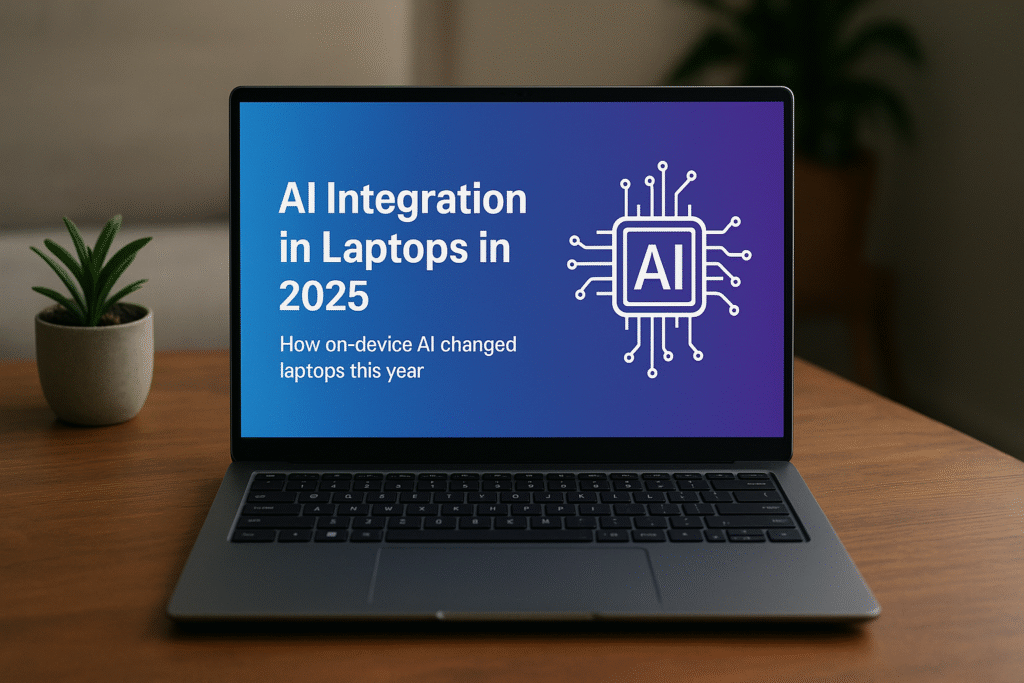
Best AI-Integration in laptops in 2025 is the year of laptops stopped being just fast pocketable computers and began to act more like personal AI assistants. What used to be cloud-only AI features on-the-fly image enhancement, real-time transcription, instant summarization, noise removal, and local conversational agents are now increasingly handled directly on the device thanks to dedicated Neural Processing Units (NPUs) and tightly integrated silicon-software stacks. That shift means faster response times, reduced cloud dependency, and better privacy for many day-to-day AI tasks. Major silicon vendors (Apple, Intel, AMD, Qualcomm) and PC makers (Microsoft Surface, Dell, HP, Lenovo, OEMs) baked NPUs and AI optimizations into their 2024–25 laptop product lines, and software vendors, notably Microsoft and Apple have shipped operating-level “AI copilots” that use on-device AI where possible.
This article explains what “AI integration” means in laptops in 2025, compares the leading hardware & software approaches, lists the best AI-integrated laptops you can buy, and gives a practical buying guide for readers who want AI features that actually improve daily workflows.
What “AI-Integration” in a Laptop Actually is
When we say a laptop has strong AI integration in 2025, we mean a combination of hardware and software features for the best AI-Integration in laptops in 2025:
- Dedicated NPU / on-chip AI accelerator: Silicon that runs neural networks quickly and power-efficiently on device rather than sending data to the cloud. NPUs are measured in TOPS (trillions of operations per second) and appear in modern Intel, AMD, Qualcomm, and Apple chips.
- AI-aware system software: OS-level assistants (e.g., Windows Copilot / Copilot+ features, Apple Intelligence) and APIs that route appropriate tasks to local models, cloud models, or hybrid setups. Microsoft’s Copilot+ PCs are a flagship example of this integration.
- Application ecosystem support: Apps and vendors updating for on-device models – e.g., real-time video conferencing noise suppression running on your laptop’s NPU, image editing with local generative models, or offline summarization in built-in apps.
Together these elements produce a user experience where AI features feel instantaneous, work offline or with privacy-preserving local inference and preserve battery life by offloading workloads to the most efficient silicon block.
The Hardware Players: NPUs and “Who Does What”
By mid-2025, four major families of AI silicon dominate the laptop market in best AI-Integration in laptops in 2025:
Apple Neural Engine (M-series: M3 / M4 / M3 Ultra family)
Apple’s M-class chips include a Neural Engine designed for efficient on-device AI. Apple has expanded Neural Engine throughput across M-series iterations; Apple’s M3/M4 chips power MacBook Air/Pro models and larger Macs, delivering excellent on-device AI for Apple Intelligence features. Apple positions these chips to run local models for features such as Live Text, system quick actions, and other inference tasks.
Intel Core Ultra / Meteor Lake & Intel AI Boost (NPU)
Intel’s Core Ultra/Meteor Lake family integrates Intel’s approach to on-device AI acceleration a heterogeneous architecture that includes a built-in NPU block. Microsoft and PC OEMs collaborated to define Copilot+ Windows PCs that take advantage of these NPUs to power local AI features. Intel’s approach aims for broad Windows app compatibility and hardware acceleration for Microsoft’s AI features.
AMD Ryzen AI (XDNA NPU)
AMD’s Ryzen AI branding bundles a dedicated NPU based on AMD XDNA / AI engine with the CPU/GPU, and AMD has pushed Ryzen AI into consumer and commercial laptops. AMD emphasizes high TOPS NPUs for efficiency and direct integration into Windows AI workflows. OEMs like Dell and HP offer Ryzen AI-equipped laptops targeted at AI productivity.
Qualcomm & other Arm vendors
Qualcomm’s Laptop (Snapdragon) platform and other ARM suppliers increasingly provide NPUs in thin-and-light Windows laptops (and Chromebooks), offering long battery life and integrated AI acceleration. Windows on ARM and Copilot+ certification have boosted their visibility in 2025.
Why On-Device AI Matters (Practical Benefits)
- Speed & responsiveness: Local models avoid cloud round trips; actions like summarizing a document or noise removal happen instantly. Microsoft’s move to allow Notepad to generate text with on-device models is a concrete example of local generative capabilities showing up in system apps.
- Privacy: Data stays on your device unless you opt to send it to the cloud. For sensitive text or recorded audio, local inference is a big privacy win.
- Offline availability: Travel or no-connectivity scenarios benefit from offline AI features (local transcription, summarization). Microsoft and other vendors are shipping preview features that run locally.
- Battery & efficiency: NPUs perform many AI tasks more efficiently than CPUs/GPUs, extending battery life for AI workloads. AMD and other vendors specifically tout efficiency gains from NPUs.
The Software Layer: Windows Copilot vs Apple Intelligence and Apps
Windows Copilot & Copilot+ PCs
Microsoft repositioned Windows around Copilot: a system-level AI assistant integrated into the OS, able to summarize content, rewrite text, transcribe meetings, and more. Copilot+ PCs are a branded subset of Windows laptops with NPUs that optimize Copilot tasks on device. Microsoft’s Copilot+ program includes hardware validation and features like a dedicated Copilot key on keyboards.
The best AI-Integration in laptops in 2025 that windows vendors and apps are rapidly adding “AI modes” that leverage local NPUs where present; examples range from system Notepad offline generation to video conferencing tools using local noise reduction. Windows Central and other outlets maintain lists of Copilot+ PC recommendations and show which OEMs have shipped validated hardware.
Apple Intelligence on macOS
Apple rolled Apple Intelligence a set of AI features that leverage the Neural Engine across M-series chips. The best AI-Integration in laptops in 2025 that Apple’s approach emphasizes privacy and on-device processing where possible; Apple regularly updates macOS to use Neural Engine acceleration for system features and app plug-ins. Apple’s newsroom updates highlight Neural Engine throughput improvements in M-series chips, especially in higher-end M3 Ultra silicon.
App ecosystem & hybrid models
Many apps choose a hybrid approach, use local inference for latency-sensitive or private tasks, and fall back to cloud models for heavy generative workloads. OEMs and silicon vendors supply SDKs to help software call NPUs intelligently. AMD published developer guidance on hybrid NPU/iGPU agent optimization, an example of industry-level technical support for local AI workloads.
Best AI-Integrated Laptops (2025) – Top Picks and Why
Below are laptop picks representing different approaches: macOS/Apple, Microsoft-validated Copilot+ Windows machines (Intel/AMD/Qualcomm NPUs), and OEMs championing AMD Ryzen AI for the best AI-Integration in laptops in 2025.
1) Apple MacBook Air / MacBook Pro (M4 / M3 family) – Best for macOS users who want seamless, private AI
Why: Apple’s M-series chips include a powerful Neural Engine tightly integrated with macOS features. For users fully in Apple’s ecosystem Final Cut transcoding, Safari intelligent features, offline dictation, and Apple Intelligence tasks, MacBooks deliver consistent, optimized on-device AI. Apple’s M3 and M3 Ultra and M4 where available significantly increased Neural Engine throughput and offer excellent battery life for local workloads.
Who it’s for: Creative pros, writers, Apple ecosystem users who value privacy and polished system integration.
2) Microsoft Surface Laptop 7th Edition (Copilot+variant) – Best Windows laptop showcasing Copilot+experience
Why: Microsoft’s Surface family demonstrates core Copilot+ design principles: dedicated AI acceleration, a Copilot key, and hardware tuned to Windows AI features. Surface models provide tight OS-level integration and frequent firmware/software updates that improve AI features over time.
Who it’s for: Windows productivity users who want the full Copilot experience and strong manufacturer support.
3) HP Spectre x360 (2025 Gen) & HP EliteBook variants with Intel Core Ultra / Ryzen AI – Best 2-in-1 and business options
Why: HP’s premium lines combine latest Intel/AMD AI silicon with business features security, manageability and often ship in configurations optimized for Copilot+. The Spectre family also mixes premium design and AI features such as on-device audio enhancement and meeting-focused AI.
Who it’s for: Executives, business users, hybrid workers who want convertible design and AI features for meetings and document workflows.
4) Dell XPS (Intel Core Ultra or AMD Ryzen AI configurations) – Best for pros who want performance and AI-aware hardware
Why: Dell’s XPS series often offers the newest Intel or AMD silicon in premium builds. Dell has updated models with Ryzen AI and Intel Core Ultra options, enabling NPUs for local inference with creative and productivity apps.
Who it’s for: Professionals, developers and creators wanting a balance of performance, display quality, and AI acceleration.
5) Slimbook / Linux-friendly Ryzen AI laptops – Best for Linux users who want Ryzen AI on portable hardware
Why: 2025 saw niche OEMs like Slimbook ship ultra-thin laptops powered by AMD Ryzen AI chips e.g., Ryzen AI 9 365 for Linux users who want on-device AI. These machines show that NPUs are not just for consumer Windows/macOS – you can get NPU support on Linux with select hardware.
Who it’s for: Linux enthusiasts and developers wanting NPU-equipped laptops on alternative OSes.
6) AMD/Premium OEM AI Workstations (HP OmniBook, Lenovo ThinkPad AI variants) – Best for enterprise AI productivity
Why: OEM business lines are shipping “AI-ready” variants with enterprise-grade NPUs, security features, and management bundles. AMD’s technical materials and OEM offerings highlight hardware and software optimizations for on-device agents and enterprise workflows.
Who it’s for: IT departments, enterprise users who need security, manageability, and AI features.
How to Evaluate AI Features When Shopping (Practical Checklist)
The best AI-Integration in laptops in 2025 are comparing laptops for “AI” capability in 2025, don’t just trust marketing. Check these points:
- Is it a Copilot+ PC or certified for Windows AI, or does it have Apple M-series with a high-capacity Neural Engine: Copilot+ is Microsoft’s program for validated AI laptops. Apple calls out Neural Engine specs in M-series marketing.
- NPU TOPS rating (if published): Higher TOPS typically mean more local model throughput for complex tasks. Microsoft and vendors sometimes publish NPU TOPS for Copilot+ devices.
- Which features are handled locally vs cloud: Look for vendor documentation that lists “on-device” capabilities e.g., transcription, summarization, noise removal. Microsoft’s Notepad on-device AI preview is an example of features going local.
- SDKs & app ecosystem support: Check whether major apps you use Zoom, Teams, Adobe, MS Office, VS Code have optimizations for NPU acceleration.
- Battery life with AI workloads: Vendor claims can be optimistic; look for third-party reviews that test real AI tasks. Tom’s Hardware and other review outlets test AI workloads occasionally.
- Privacy & data routing options: Can the OS or apps be configured to prefer on-device models? Microsoft and Apple provide privacy notes and settings for AI features.
Real-World AI Use Cases That Matter in 2025
Content creation & editing
This is the best AI-Integration in laptops in 2025 for writers and editors can ask system tools to summarize long documents, rewrite paragraphs, and generate outlines locally. On-device AI avoids sending drafts to third-party servers. Microsoft’s OS updates and Apple Intelligence make these features available in built-in apps.
Meetings & communication
Real-time noise removal, speaker separation, live captions and meeting summaries can run locally on NPUs, improving latency and privacy for remote work. Many OEM business laptops advertise meeting-focused AI.
Photo / video workflows
On-device generative image editing, smart upscaling, background removal, and real-time frame interpolation benefit from fast AI acceleration. GPU+NPU co-processing improves throughput for creative tasks.
Coding & developer tools
Local code-assist models (for completions or documentation) can run on device for fast, private assistance in editors like VS Code an attractive option for developers worried about IP leakage to cloud services.
Accessibility
Instant text/audio summarization and real-time speech-to-text on device make laptops more accessible for users with hearing or vision challenges. Offline capabilities broaden availability in low-connectivity environments.
Benchmarks, Limitations & What Reviewers are Saying
Critics and reviewers raise several recurring points for best AI-Integration in laptops in 2025:
- NPUs help latency and battery but are not universal magic: Some reviewers note that for large generative tasks complex image generation or large LLM prompts, cloud models still outperform on-device models due to model size. Local NPUs are best for targeted tasks noise removal, classification, short summarization.
- Software maturity varies: Hardware can ship with NPUs, but apps and OS features must be updated to use them effectively. Microsoft, Apple and OEMs are iterating quickly.
- Driver and OS support (especially on Linux) can lag: Specialist Linux laptops with NPUs exist, but driver maturity and distribution support matter. Slimbook’s Ryzen AI laptops showcase possibilities but warn about driver/compatibility caveats.
Privacy, Data, and Security – The Important Tradeoffs
On-device AI improves privacy by default, but there are caveats for the best AI-Integration in laptops in 2025:
- Local models reduce cloud exposure: But some features still default to cloud models for higher-quality or large-scale generation. Check settings to ensure tasks you want local stay local. Microsoft’s documentation and OS settings let you choose between local and cloud models in some scenarios.
- Model updates & telemetry: OS vendors may still collect telemetry or require updates for model improvements; read vendor privacy docs.
- Enterprise management: IT teams can manage AI features and data routing on corporate Copilot+ PC fleets. Business-grade laptop variants include management tools for policy control.
Frequently Asked Questions (FAQs)
The people generally asks the question regarding the best AI-Integration in laptops in 2025:
Q: Is an NPU necessary to get AI benefits?
A: Not always. Many AI features can run on CPU/GPU or in the cloud. An NPU improves speed and efficiency for many on-device tasks (real-time audio processing, small model inference), but for very large generative models you’ll still need cloud resources.
Q: Which ecosystem is best – Apple or Windows?
A: It depends. Apple provides a polished on-device AI experience tightly integrated with macOS and strong Neural Engine throughput; Windows offers broader hardware choice (Intel, AMD, Qualcomm NPUs) and Copilot as a system assistant. If you value ecosystem integration and privacy with a streamlined app set, Apple’s M-series is excellent. If you want choice, enterprise features, or a Windows workflow, look for Copilot+ PCs.
Q: Will NPUs make my old laptop obsolete?
A: Not necessarily. Many productivity tasks remain CPU/GPU-bound. NPUs accelerate specific AI workflows; buying an NPU laptop is mainly beneficial if you regularly use AI features that run on device (transcription, noise reduction, quick summarization, local code assist).
Q: Are Linux users excluded from on-device AI?
A: No – some vendors (e.g., Slimbook) ship NPU-equipped Linux laptops. However, driver support and app ecosystem maturity can vary, so check community support for your distribution and the specific NPU.
Practical Buying Tips and Final Checklist
Here the practical buying tips and final checklist for the best AI-Integration in laptops in 2025:
- Decide which ecosystem you prefer: (macOS vs Windows vs Linux) that largely determines available AI features.
- Look specifically for “Copilot+” certification or M-series Neural Engine details: Product pages and Microsoft/OEM pages will call these out.
- Check third-party reviews: For real AI task testing (meetings, transcription, summarization). Tom’s Hardware, Windows Central and other outlets often test AI workloads.
- Test battery & thermals: NPUs help efficiency, but CPU/GPU load still matters for heavy work. Look for real-world battery tests.
- Verify privacy settings and update options: Ensure you can choose local models if privacy is a priority.
Future Outlook – 2026 and Beyond
AI integration on laptops will continue to accelerate along a few vectors for the best AI-Integration in laptops in 2025:
- Larger local models: As NPUs grow in capability and model compression improves, more advanced generative tasks will run locally.
- Tighter OS-app hardware co-design: Expect more OS APIs that automatically decide whether to use local or cloud models based on latency, power, and privacy. Microsoft and Apple are pushing in this direction.
- Heterogeneous acceleration: NPUs, integrated GPUs, and CPUs will be increasingly orchestrated for best efficiency (AMD’s hybrid NPU/iGPU experiments are an early example).
Conclusion – Who Should Buy an AI-Integrated Laptop in 2025?
The best AI-Integration in laptops in 2025 are regularly use AI features meeting transcription/summarization, photo & video editing with AI tools, real-time collaboration features, or local coding assistants, buying a laptop with a capable NPU or a certified Copilot+ PC / M-series Mac will make a noticeable difference in latency, privacy, and battery life. For casual users who rely mostly on cloud services for heavy generative work, the benefit is more incremental, but the overall ecosystem is heading quickly toward local-first AI by default.

https://betwarrior.cat/
En 2026, el operador BetWarrior se afianza como una de las plataformas de casino online y apuestas deportivas mas populares de Argentina, ofreciendo una bienvenida de hasta $500.000 ARS para nuevos jugadores. Con licencia oficial y un compromiso en la seguridad, el plataforma garantiza una experiencia de juego sin vueltas y confiable para el jugador de Argentina. Los usuarios tienen la posibilidad de acceder de miles de juegos de proveedores de elite como Evolution y Pragmatic Play, realizar apuestas deportivas en vivo y manejar su saldo sin complicaciones en pesos argentinos, todo ello desde una aplicacion movil optimizada para Android e iOS.
La plataforma de Betmexico se afianza en 2026 como el casino en linea y bookmaker mas importante para el mercado mexicano, sobresaliendo por su novedoso bono sin deposito de $50 MXN sin jugar lo depositado, una iniciativa sin precedentes que suprime las complicaciones tipicas de la rivalidad.
https://betplay.cat/
BetPlay se afirma en 2026 como el portal destacado en apuestas y casino digital en Colombia, totalmente licenciada por Coljuegos para funcionar con total legalidad y seguridad en el pais.
https://juegaenlinea.cat/
El sitio Juegaenlinea se consolida en 2026 como un sitio de referencia en Colombia, brindando un entorno confiable y integral para casino en linea y apuestas deportivas en linea bajo licencia internacional avalada por Curazao.
Pensada principalmente para el publico de la region, esta propuesta permite operar en pesos colombianos y dispone de una extensa oferta de entretenimiento respaldada por mas de 35 estudios de software certificados.
https://ufc327odds.com/
This Miami-held light heavyweight title fight at UFC 327 offers a legitimate pick’em for the gambling public, as ex-champion Jiri Prochazka (-142) and on-a-roll knockout specialist Carlos Ulberg (+120) gear up to throw down for the vacant belt. The razor-thin odds underscore how well-paired these two striking specialists truly are, making this fight where a wager on any side is simply a matter of which explosive skillset you anticipate will come out on top.
https://codere.cat/
Actualmente, Codere Mexico es un sitio de juegos de casino por internet que desarrolla su actividad con total legalidad con licencia oficial otorgada por la SEGOB , brindando a los usuarios de Mexico un entorno de juego seguro y fiable donde todos los depositos y retiros se manejan exclusivamente en pesos mexicanos (MXN) por medio de transferencias SPEI .
https://caliente.cat/
La casa de apuestas Caliente se posiciona como una opcion sobresaliente en el mercado mexicano, proporcionando un sitio todo en uno que integra pronosticos deportivos y tragamonedas y mesa con una amplia cobertura de partidos y titulos. De esta forma, la casa se consolida como una eleccion firme para los jugadores que esten buscando propuestas de ocio diversas y beneficios competitivos en un unico sitio.
https://playdoit.cat/
Playdoit Casino constituye un innovador casa de apuestas online y centro de apuestas deportivas creado especificamente para el publico mexicano, que opera con permiso vigente y brinda un recorrido completo ya sea por medio del movil como a traves de la PC.
https://playcet.cat/
Playcet se presenta como un espacio online para apuestas deportivas y casino virtual gestionada por CET, una empresa argentina con un largo recorrido en casinos fisicos de Cordoba, dandole asi un respaldo real y confiable durante 2026.
https://strendus.cat/
Strendus se ha consolidado en 2026 como el operador de apuestas deportivas y juegos de casino de origen mexicano de mayor fiabilidad, operando bajo la regulacion de SEGOB.
https://rushbet.cat/
La plataforma Rushbet Colombia se posiciona durante 2026 como una plataforma de juego online fiable y versatil, operando bajo su licencia oficial de Coljuegos, lo que brinda seguridad y legalidad en el territorio colombiano.
https://wplay.cat/
Strendus es un sitio de apuestas que cumple con los mas altos estandares de proteccion y normativa , proporcionando a los jugadores una experiencia de entretenimiento confiable y completamente legal .
Ofrece una extensa gama de opciones de entretenimiento que abarcan tragamonedas , casino con crupieres en directo y modalidades de pronostico, la plataforma se distingue por su firme apuesta por la honestidad y el entretenimiento con responsabilidad .
tải 888slot Trên các bảng xếp hạng uy tín như AskGamblers và iGamingTracker, nhà cái thường xuyên góp mặt trong danh sách những nhà cái có tỷ lệ giữ chân người chơi cao nhất. TONY03-25
Trải qua hơn một thập kỷ hình thành và phát triển, XN88 đã xây dựng được cộng đồng người chơi vững mạnh nhờ vào sự nhất quán trong chất lượng dịch vụ và uy tín chi trả. TONY03-25
https://yajuego.cat/
YaJuego se establece en 2026 como un referente destacado en Colombia , al proporcionar un servicio integral de casino en linea y apuestas deportivas cumpliendo con la regulacion establecida por Coljuegos.
https://betfair.cat/
Betfair es un sitio de apuestas y casino en linea con reputacion global , avalada por mas de veinte anos de experiencia en el mercado y por haber sido la creadora del innovador modelo de bolsa de apuestas (Exchange) .
https://betsson.net.co/
A Betsson esta longe de ser um operador comum; com uma historia que ultrapassa seis decadas desde a sua criacao no ano de 1963, na Suecia, estabeleceu um nome forte no mercado regulado, com presenca tambem na Colombia sob a regulamentacao da Coljuegos.
https://zamba.cat/
Zamba Colombia se consolida en este 2026 como una referencia principal dentro del pais, funcionando bajo un marco legal estricto bajo la autorizacion de Coljuegos y entregando un completo servicio que abarca desde apuestas deportivas en disciplinas convencionales y competencias de videojuegos hasta una seccion de casino en linea con proveedores de primer nivel tales como NetEnt y Playtech.