Table of Contents

Introduction (Best Deep Dive Infinity Edge Display Bezel Design in Dell XPS 15)
The Best Deep Dive Infinity Edge Display Bezel Design in Dell XPS 15 in the world of premium laptops, design innovations often define how we experience technology and Dell’s XPS 15 has been a pioneer in this space. Among its most iconic features is the Infinity Edge display bezel design, a near borderless display concept that reshaped the industry standard for laptop aesthetics and usability. When Dell first introduced this design, it was not just about reducing bezels for the sake of beauty; it was about reimagining how much screen real estate could be packed into a compact form factor without compromising durability, functionality, or performance. Today, the Infinity Edge display is not only a hallmark of the XPS lineup but also a benchmark that competitors strive to replicate.
In this article, we take a deep dive into the engineering, user benefits, and technological implications of the Infinity Edge bezel design in the Dell XPS 15. From its evolution and technical challenges to its impact on productivity, entertainment, and industry trends, we will uncover why this design choice is more than a marketing gimmick it’s a revolution in laptop craftsmanship in this best deep dive infinity edge display bezel design in dell XPS 15.
1) What Exactly Is Infinity Edge?
Infinity Edge is Dell’s marketing name for extremely slim display borders that make the screen feel nearly edge to edge. In the XPS 15, it means you get a large 15 inch class display in a chassis that would traditionally have housed a smaller panel. That yields:
- Higher screen to body ratio for a modern, immersive look.
- Compact footprint for a 15 inch device easier to fit in bags and on small desks.
- More visual workspace without increasing weight excessively.
While thin bezels are now common, the XPS 15 helped define the premium standard, proving you can shrink bezels while preserving rigidity, color quality, and real-world usability.
2) How the XPS 15 Became the Poster Child for Thin Bezels
Best Deep Dive Infinity Edge Display Bezel Design in Dell XPS 15 are XPS family popularized in idea that a big display does not require a big laptop. Early XPS 15 generations leaned into narrow side and top borders, with continuous edge to edge cover glass that visually erases frame lines. Over successive iterations, Dell refined:
- Panel mounting to reduce border thickness without panel flex.
- Camera/mic placement (from the controversial low placement in early designs to more conventional top-bezel positions in later ones).
- Panel options (high-quality IPS and later OLED) to meet both creator and general-productivity needs.
The result is a cohesive identity: when you open an XPS 15, the display feels larger than the laptop looks that’s Infinity Edge’s calling card.
3) The Engineering Stack: Glass, Panel, Adhesives, and Frame
The Best Deep Dive Infinity Edge Display Bezel Design in Dell XPS 15 are infinity Edge not just “smaller bezels.” It’s a precision stack:
- Cover glass (often Corning class glass):
- Adds scratch resistance and a premium feel.
- Provides a smooth, continuous surface right to the edges.
- Works with anti-reflective (AR) layers to keep glare manageable.
- Panel (IPS or OLED):
- Ultra-thin, carefully bonded to maintain flatness across the large 15-inch area.
- Must tolerate torsion from opening/closing and pressure from bags.
- Optically Clear Adhesive (OCA) / laminates:
- Eliminates air gaps between glass and panel for improved contrast and reduced internal reflections.
- Needs precise thickness to avoid Newton rings and to ensure uniformity at the edges where bezels are tight.
- Frame (magnesium or aluminum alloys, carbon or glass fiber reinforcements):
- Maintains rigidity with minimal bezel height.
- Incorporates microscopic retention features and ribs to keep the panel secure under everyday flex.
- Gasket & sealants:
- Cushion the display against micro impacts.
- Help limit dust ingress at the frame glass interface, which is tougher with vanishingly small borders.
The thinner the border, the less forgiveness the design has for tolerances. Infinity Edge requires meticulous alignment so that the border looks uniform on all sides your eyes instantly notice a crooked border.
4) Hinge Geometry, Antennas & Sensors: What Had to Move
Shrinking the bezel forces a reshuffle of components traditionally housed in the display frame:
- Hinges: Need to maintain smooth torque while reducing stress on a thinner lid. A well-tuned hinge avoids panel wobble, keeps the lid stable for touch/typing vibrations, and protects the glass edge from sudden snaps.
- Antennas (Wi-Fi/Bluetooth): With less bezel volume, antenna placement must minimize RF shadowing from metal, carbon fiber, and your hands.
- Sensors (ambient light, proximity, IR for Windows Hello on selected configs): Must fit in fractions of a millimeter at the top edge while maintaining reliable field of view.
- Cables: Display and camera ribbons route through tight hinge channels; strain relief and bend radii become critical to longevity.
The upshot is that Infinity Edge influenced the entire lid architecture, not just the visible border.
5) OLED vs IPS on Infinity Edge: Which Should You Pick?
Infinity Edge is panel agnostic you will see both IPS and OLED options across XPS 15 generations. Choose based on workload:
- IPS (LCD):
- Pros: Natural tonality, consistent brightness even on full-screen whites, often better for battery life with bright documents, generally no burn-in risk.
- Cons: Blacks are not as deep; contrast lower than OLED; some IPS glow in dark scenes.
- OLED:
- Pros: Perfect blacks, high contrast, superb perceived sharpness, punchy HDR media, stunning for creative and entertainment use.
- Cons: Potential for image retention with static UI; high brightness on white documents can draw more power; PWM dimming on some panels can bother sensitive users.
Tip: If your day is Google Docs, WordPress, spreadsheets, and bright white UIs, a well calibrated IPS may be the better all day workhorse. If you color-grade, illustrate, or watch movies after hours, OLED delivers an unmatched canvas.
6) Color Accuracy, HDR, and Creator Workflows
Infinity Edge is only as good as the image quality behind it. On the XPS 15, you will typically find displays covering wide gamut’s (e.g., a high percentage of DCI-P3 and near/full sRGB). For creators this Best Deep Dive Infinity Edge Display Bezel Design in Dell XPS 15:
- Calibrate with a colorimeter and create profiles for sRGB (web), DCI-P3 (video), and Adobe RGB (print), depending on your model’s gamut.
- Use Color managed apps (Adobe, Affinity, DaVinci, Capture One) and embed profiles in exports.
- HDR looks gorgeous on OLED, but remember: HDR previews vary by app, OS handling, and panel capability; validate on a reference display when possible.
The Best Deep Dive Infinity Edge Display Bezel Design in Dell XPS 15 for writers and web publishers, a calibrated sRGB profile helps what you see match typical readers’ displays.
7) Brightness, Reflections & Anti-Reflective Coatings
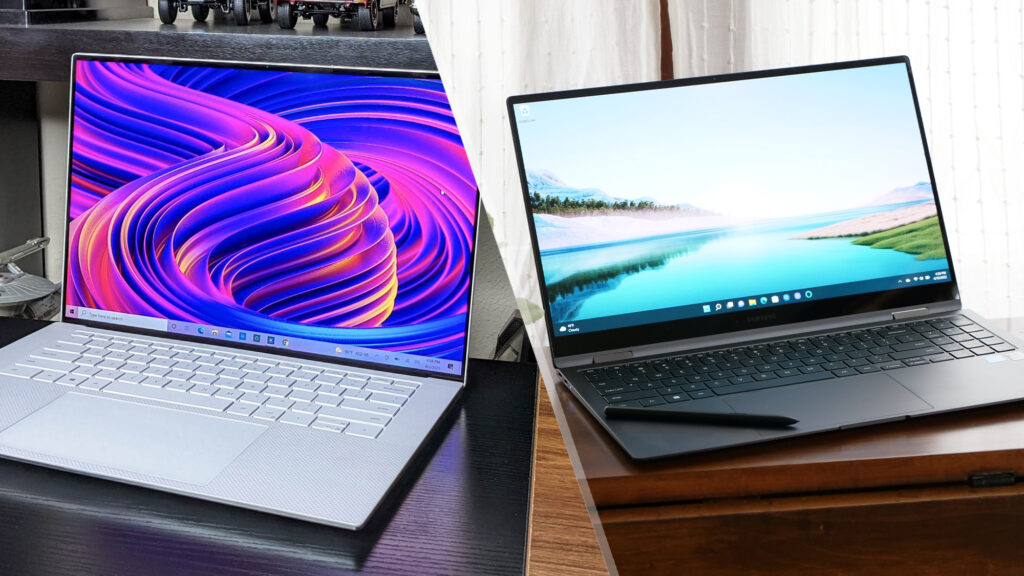
The Best Deep Dive Infinity Edge Display Bezel Design in Dell XPS 15 Edge to glass looks premium, but glass is reflective. Infinity Edge relies on:
- AR coatings to cut mirror like reflections.
- Higher sustained brightness so content wins the fight against ambient light.
- Panel lamination to reduce internal reflections and improve contrast.
Practical tips:
- If you work under overhead LEDs, position the screen to avoid direct glare.
- Use dark UI themes in dim rooms to reduce eye strain on OLED.
- If you’re outdoors, crank brightness and consider a matte screen protector only if reflections remain intolerable (note: this slightly softens image sharpness).
8) Comfort & Productivity: Why Bezels Affect Focus
It might sound cosmetic, but bezels shape how we scan and focus for Best Deep Dive Infinity Edge Display Bezel Design in Dell XPS 15:
- Wider canvas fits two documents side-by-side more comfortably on a 15-inch class display great for research and writing.
- The near borderless design reduces “visual borders” around content, which feels more like working on a single sheet of digital paper.
- For video and creative work, less bezel equals more immersion.
Infinity Edge also shrinks the footprint, which translates to more comfortable arm reach for trackpad and keyboard on small tables.
9) Webcam, Microphones & the “Where Do They Go?” Problem
The Best Deep Dive Infinity Edge Display Bezel Design in Dell XPS 15 is ultra thin bezels historically complicated webcam placement. Earlier takes put the cam lower, leading to awkward angles. Later iterations restored top bezel webcams while keeping borders slim:
- Top center webcam helps with eye contact on calls.
- Dual mics at the top edge reduce keyboard noise pickup.
- IR sensors for face login, when present, must share microscopic space without blooming or flare under bright backlight.
When evaluating a specific XPS 15 configuration, check webcam specs if you live on Teams/Zoom. Some configs emphasize image processing improvements even if the sensor remains compact.
10) Thermals, Speakers & Battery: The Other Dominoes
Display bezels don’t directly change thermals but design space is finite:
- Thermals: With thinner lids, heat dissipation mostly remains a base chassis challenge. Infinity Edge encourages a compact design, so internal airflow and heat pipes must be efficient.
- Speakers: Thinner bezels preserve more lid volume for the display assembly, so speaker tuning relies on under keyboard cavities, port placements, and smart DSP.
- Battery: Smaller footprint pressures battery volume; XPS 15 models typically balance this with high-density cells and component layout optimizations.
The lesson: Infinity Edge shapes the constraints that engineers solve elsewhere to maintain performance and acoustics.
11) Durability, Serviceability & Long-Term Wear
Durability:
- The edge to edge glass is robust, but glass is glass avoid torsion (lifting the lid from one corner), heavy pressure in bags, or sharp impacts.
- Hinge tuning minimizes lid wobble; treat it kindly to preserve alignment across those thin borders.
Serviceability:
- Very narrow bezels and laminated stacks can make screen replacements more delicate and costly.
- If you expect rough travel, consider a sleeve and backpack with a rigid laptop compartment.
Wear:
- AR coatings can gradually polish where fingers or fabrics rub. Clean with a microfiber cloth and a tiny bit of distilled water or approved screen cleaner never harsh solvents.
12) Competitor Landscape: How Infinity Edge Stacks Up
Most premium laptops now tout slim bezels, but the XPS 15’s InfinityEdge offers a recognizable blend of:
- Symmetry (balanced borders on all four sides).
- Material elegance (machined metals, carbon/glass fiber palm rest designs depending on generation).
- Panel options (excellent IPS and OLED choices tailored to creators and pros).
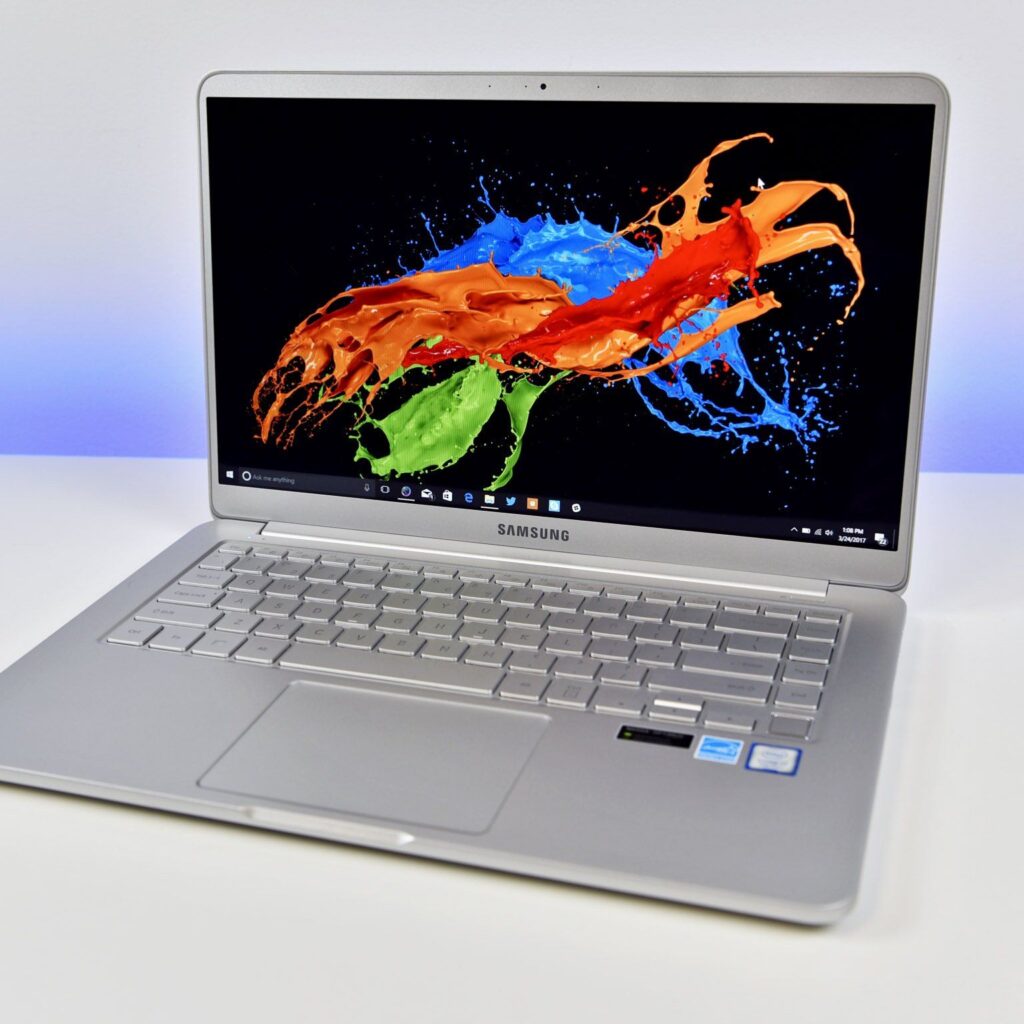
Rivals may match or exceed specific metrics (e.g., max nits or refresh rate), but Dell’s consistent industrial design language and thoughtful panel curation keep the XPS 15 near the top for those who care about both looks and color fidelity which shows the Best Deep Dive Infinity Edge Display Bezel Design in Dell XPS 15 in quality.
13) Buying Guide: Best XPS 15 Panel Choices by Use Case
A. Writers, Analysts, and Students (Docs, Sheets, Browser-heavy)
- Panel: Quality IPS, standard refresh, anti-glare if available.
- Why: Balanced brightness, no burn in anxiety, comfortable for long white background sessions.
- Tip: Enable blue light reduction in the evening; consider dark mode at night.
B. Photographers & Video Editors (Color-Critical, HDR)
- Panel: OLED with wide gamut and HDR support.
- Why: Deep blacks, high contrast, stunning for previewing media.
- Tip: Calibrate regularly; map your working color space (sRGB/DCI-P3) and soft proof exports.
C. Developers & General Creators (Mixed workloads)
- Panel: Either IPS (long docs, coding) or OLED (UI/design) depending on preference.
- Why: Coding on IPS is comfortable; design work pops on OLED.
- Tip: Keep static UI elements moving very slightly (auto-hide taskbars, occasional full screen shifts) on OLED.
D. Travelers (On-the Go Productivity)
- Panel: Whichever offers better battery life for your config; brightness is key for daylight.
- Tip: If you often work on trains/planes with overhead lighting, prioritize panels with strong AR treatment.
14) Setup Tips: Calibrate, Tame Reflections, Protect the Glass
The following tips for Best Deep Dive Infinity Edge Display Bezel Design in Dell XPS 15:
- Color & Tone
- Run a calibration (even a quick software-only profile helps) and set a default sRGB profile for web work.
- Keep a P3 profile for video or photo projects.
- Power & Brightness
- Use adaptive brightness judiciously; manual brightness often feels more stable when editing images.
- On OLED, set auto-hide taskbars and rotate wallpapers to reduce static UI persistence.
- Reflections
- Tilt slightly forward to bounce overhead reflections downwards.
- If needed, apply a high quality matte protector great for harsh lights but expect a tiny loss in crispness.
- Protection & Cleaning
- Use a sleeve and avoid pressure on the lid in a packed backpack.
- Clean with a microfiber cloth, no ammonia/alcohol; small circular motions; let dry before closing the lid.
15) Myths vs. Reality About Thin Bezels
Myths vs. Reality above thin bezels in the Best Deep Dive Infinity Edge Display Bezel Design in Dell XPS 15:
- Myth: “Thin bezels = fragile.”
Reality: With proper materials and hinge design, Infinity Edge lids are engineered for daily use. Treat them like any premium device and they hold up well. - Myth: “Glass means unbearable glare.”
Reality: AR coatings plus adequate brightness make InfinityEdge usable in most environments. Placement and angle matter more than you think. - Myth: “OLED is risky for work.”
Reality: Modern OLED laptops include mitigations. If your workflow is text-heavy at max brightness all day, IPS might be better—but many users thrive on OLED with a few habits. - Myth: “Narrow bezels ruin the webcam.”
Reality: Earlier compromises existed; current designs place cams top-center while keeping bezels slim.
16) Quick FAQ
Some quick FAQ generally wants to know the people about this Best Deep Dive Infinity Edge Display Bezel Design in Dell XPS 15:
Q1. What’s the single biggest benefit of Infinity Edge on the XPS 15?
A: A larger feeling canvas in a compact chassis more room for timelines, columns, and parallel windows without a bulky footprint.
Q2. Will a screen protector ruin clarity?
A: A glossy protector preserves sharpness but does little for glare; a matte protector reduces reflections but slightly softens fine text. Choose based on your lighting.
Q3. Does InfinityEdge affect repair costs?
A: Edge-to-edge, laminated assemblies can be costlier to replace than older, thick-bezel, non-laminated screens.
Q4. Is OLED safe for long writing sessions?
A: Yes, if you manage brightness, use dark themes where comfortable, and avoid static UI at max brightness for many hours daily.
Q5. How does InfinityEdge impact battery life?
A: Indirectly. Panel type and brightness settings matter more. OLED can be efficient on dark content but hungry on bright UIs; IPS is steady for document work.
Q6. Can I color-grade professionally on the XPS 15?
A: Many do. Calibrate regularly, confirm deliverables on a reference display if your project demands strict color accuracy.
Q7. Will the thin bezel make the lid wobbly?
A: Good hinge tuning keeps it stable. If you type hard or use touch, expect some motion, but quality hinges minimize it.
Q8. Is the anti-reflective coating durable?
A: It’s designed for daily use but can wear with abrasion or harsh cleaners. Clean gently and store properly.
17) Final Recommendations
The Best Deep Dive Infinity Edge Display Bezel Design in Dell XPS 15 in Infinity Edge bezel is more than a styling cue on the Dell XPS 15 it’s a thoughtful engineering solution that gives creators, writers, students, and professionals more screen in less space. By optimizing the stack (glass, panel, adhesives, frame) and dialing in hinges, sensors, and antennas, Dell delivers a lid that looks almost borderless yet feels sturdy and premium.
If you primarily write, analyze data, or code, a high quality IPS Infinity Edge display may be your most comfortable daily driver excellent brightness management, neutral color, and no burn in concerns. If you edit photos, grade video, design, or simply love cinematic visuals, the OLED Infinity Edge option transforms the XPS 15 into a portable visual studio just adopt good OLED habits and calibrate for color critical work.
In either case, Infinity Edge’s big canvas small footprint equation makes the XPS 15 a standout choice for this Best Deep Dive Infinity Edge Display Bezel Design in Dell XPS 15. Pair it with smart setup (calibration, reflection control, protective handling), and you’ll enjoy a display experience that feels larger than your laptop the precise goal Infinity Edge set out to achieve.
Conclusion
The Infinity Edge display bezel design in the Dell XPS 15 is more than just an aesthetic triumph it represents Dell’s forward thinking approach to combining style with substance of this Best Deep Dive Infinity Edge Display Bezel Design in Dell XPS 15. By shrinking the bezels and maximizing screen to body ratio, Dell has transformed the way professionals, creators, and everyday users interact with their laptops. Whether you are editing high-resolution videos, writing research papers, or streaming your favorite movies, the immersive viewing experience delivers a tangible difference that enhances productivity and enjoyment alike.
As we look ahead, it’s clear that Infinity Edge was not just a design choice but a trendsetter that has influenced the entire laptop market. With every iteration, Dell refines the balance between portability, durability, and cutting edge display technology, making the XPS 15 a true icon of modern computing. For this Best Deep Dive Infinity Edge Display Bezel Design in Dell XPS 15 are users who value innovation and premium craftsmanship, the Infinity Edge design stands as a testament to what happens when technology meets imagination ushering in a future where borders on creativity, like laptop bezels, continue to shrink.