
Table of Contents

Introduction: Best Laptop Display for Content Creators 2026
The best laptop display for content creators 2026, the landscape of laptops for content creation has evolved dramatically. Displays are no longer just screens they are precision tools that define the way artists, editors, designers, and storytellers work. Whether you’re a video editor working in 8K, a photographer fine-tuning colors, or a digital artist painting intricate masterpieces, the quality of your laptop’s display can profoundly influence your productivity and creative outcome.
1. The Importance of Display Quality for Content Creation
For most people, a display is where content is seen. For creators, a display is where content is interpreted, evaluated, and perfected. A great display does not just show pixels it shows truth.
Unlike regular office laptops, a creator’s laptop display:
- Reveals accurate color reproduction
- Handles wide dynamic range
- Supports high resolution and contrast
- Provides uniform brightness and tone
- Minimizes artifacts like banding or flickering
Inaccurate displays can mislead creators into making decisions that look wrong on other screens and devices. For instance, a photographer might inadvertently desaturate blues if a display’s color balance drifts toward cyan. A video editor might export grades that look perfect on their machine but washed-out on TVs.
Thus, the best displays for content creation are not about flashy specs they are about fidelity, consistency, and reliability.
2. Core Display Features Every Creator Should Know
Before exploring specific display technologies and laptop recommendations, it’s essential to understand the core technical attributes that matter most for content creators.
2.1 Resolution – How Sharp Is the Image?
Resolution refers to the number of pixels that make up a display. The more pixels, the finer the image detail.
- 1080p (1920 × 1080) – Basic; not ideal for modern creative workflows.
- 1440p (2560 × 1440) – Good for productivity and sharper than 1080p.
- 4K (3840 × 2160) – Excellent for creatives; matches high-resolution video and image editing needs.
- 5K / 6K / 8K and beyond – Premium; future-ready, particularly useful for high-end photo and video work.
Higher resolution affects:
- Workspace area (more screen real estate)
- Image sharpness
- Clarity of fine details in editing and review
Creators working with high-resolution files benefit greatly from 4K or above.
2.2 Panel Type – The Heart of Display Quality
Different panel technologies handle colors, brightness, and viewing angles differently.
IPS (In-Plane Switching)
Long the go-to for content creators due to:
- Wide viewing angles
- Excellent color accuracy
- Consistent brightness
Modern IPS panels in 2026 have even surpassed older OLED in color precision for many workflows.
OLED (Organic Light-Emitting Diode)
- Pros: Perfect blacks, unmatched contrast, vibrant colors
- Cons: Potential burn-in risk, not always the most color-accurate out of the box
OLED is exceptional for video and cinematic work especially where tone and contrast matter but requires good color profiling.
Mini-LED / QLED / MicroLED
These backlighting improvements deliver:
- Higher peak brightness
- Better contrast than traditional LCD
- Local dimming zones
Mini-LED is especially beneficial for HDR content creation.
2.3 Color Gamut – How Many Colors Can You See?
A wide color gamut means more colors are reproducible. In 2026, the key gamuts are:
- sRGB – Standard web and general content
- Adobe RGB – Photography and print workflows
- DCI-P3 – Digital cinema and video
- Rec. 2020 – Ultra-wide color gamut, often a target for HDR
Professional creators often desire Adobe RGB ≥ 99% or DCI-P3 ≥ 98%.
2.4 Color Accuracy – How True Are the Colors?
A display can have wide gamut coverage but still be inaccurate meaning the colors shown may not match the real values.
Color accuracy is often measured in:
- ΔE (Delta E) – Lower is better; values below 2 are considered excellent.
- Calibrated profiles – Factory or custom calibrations help ensure accuracy.
Many high-end laptops now ship with factory-calibrated displays and support hardware calibration.
2.5 Brightness and HDR – See It in All Conditions
Brightness is measured in nits:
- 300–400 nits – Basic
- 500–700 nits – Good for bright rooms and outdoor use
- 1000+ nits – HDR content
HDR (High Dynamic Range) allows highlights and shadows to be represented more realistically. Mini-LED and OLED panels excel in HDR.
2.6 Refresh Rate – Smoothness Matters
Although refresh rates matter most for gaming, smoothness is valuable for:
- Scrolling through timelines
- Motion graphics
- Animators
60Hz is standard; 120Hz or 144Hz provides a noticeably smoother user experience.
3. Display Technologies in 2026
As of 2026, laptop display technology has matured and diversified to meet creator demands.
3.1 Next-Gen IPS
Modern IPS panels deliver:
- Wider color gamuts (≥ Adobe RGB)
- Higher brightness
- Faster response times
They remain widely adopted in professional creator laptops due to consistency and reliability.
3.2 OLED and QD-OLED
OLED tech has advanced to address past issues like burn-in. New materials and dynamic pixel refresh algorithms extend lifespan without sacrificing contrast.
QD-OLED (Quantum Dot OLED):
- Combines OLED contrast with quantum dot brightness
- Expanded color range and energy efficiency
Best for video editors and digital artists seeking deep blacks and vivid tones.
3.3 Mini-LED and MicroLED
Mini-LED employs thousands of dimming zones behind the panel for:
- Higher HDR brightness
- Better control over highlights and shadow detail
MicroLED takes it even further with self-emitting pixels and dramatically higher durability.
These technologies push laptop displays closer to professional studio monitors.
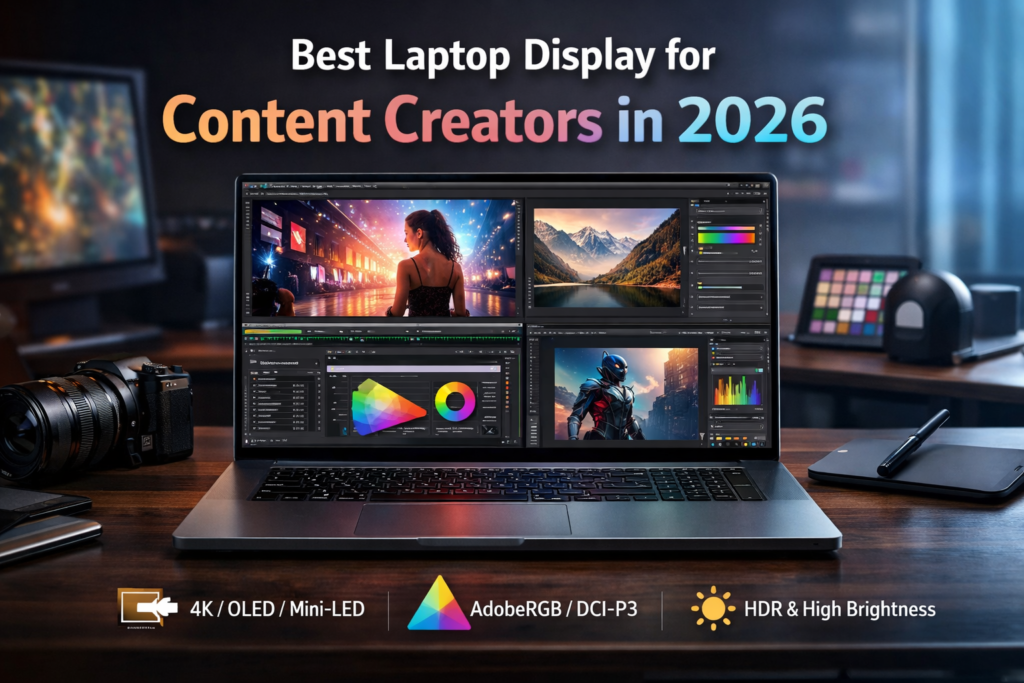
4. Choosing the Best Laptop Display for Different Creative Professions
Different creative professions have distinct priorities. A filmmaker may care more about contrast and HDR than a graphic designer, whereas a photographer may prioritize absolute color fidelity over peak brightness.
Below is a breakdown of what each type of creator typically needs from their laptop display.
4.1 Photographers
Photographers work with wide gamuts, subtle tones, and fine detail particularly important for print work.
Ideal Display Attributes:
- High resolution (4K or above)
- Wide color gamut (≥ Adobe RGB / DCI-P3)
- Excellent color accuracy (ΔE < 2)
- Uniform brightness and tone
Photographers should also invest in hardware calibration tools that sync with the laptop panel.
4.2 Video Editors and Colorists
Video workflows require:
- Support for DCI-P3 and Rec. 2020
- High brightness and contrast (for HDR work)
- Smooth motion handling
OLED and Mini-LED panels often give video editors the best real-world representation of dynamic range and brightness.
4.3 Graphic Designers and Illustrators
Designers focus on:
- Sharp text and precise shapes
- Accurate colors
- Comfortable surface texture when using styluses
While 4K resolution is important, color consistency and viewing angles matter even more for detailed design work.
4.4 Animators and Motion Graphics Artists
Animators value:
- High refresh rates
- Smooth playback
- Accurate color
- Large workspace area
A combination of high refresh (120Hz+) and reasonable resolution helps animators preview motion without judder.
4.5 3D Artists and VFX Professionals
3D artists crave:
- Spatial clarity
- Accurate shadows and highlights
- Compatibility with professional color spaces
High resolution and wide gamut are essential, often supplemented by external displays in docking setups.
5. Comparing Display Technologies Side-by-Side
| Feature | IPS | OLED / QD-OLED | Mini-LED / MicroLED |
|---|---|---|---|
| Color Accuracy | High | Very High | High |
| Contrast | Good | Excellent | Very Good |
| HDR Performance | Moderate | Excellent | Excellent |
| Peak Brightness | Moderate to High | Moderate | Very High |
| Uniformity | Excellent | Very Good | Excellent |
| Burn-in Risk | None | Low-Medium | None |
| Refresh Rate Capability | High | High | High |
| Best For | Photo/Design | Video/Media | HDR Video/Professional Editing |
Each technology has trade-offs, and selection should align with the creator’s primary workflows.
6. Display Metrics Explained in Plain Language
Often technical specs overwhelm creators without context. Here’s how to interpret key metrics:
6.1 What Does 4K Really Mean for Editors?
A 4K (3840 × 2160) display:
- Provides more screen space for timelines and tool palettes
- Allows true pixel-to-pixel preview of 4K content
- Improves visual fidelity and detail inspection
Upgrading from 1080p to 4K can feel like moving to a larger monitor without the physical bulk.
6.2 Why Color Gamut Matters Beyond Numbers
Color gamut percentages hint at range, but not accuracy. Two displays might both cover 99% Adobe RGB yet differ in how faithfully they reproduce each color.
This is why creators prefer:
- Factory calibration
- Hardware profiles
- Third-party calibration tools
6.3 HDR – Not Just Brighter, But Better
HDR stands for High Dynamic Range. It does not just make things brighter it expands the contrast between brightest highlights and deepest shadows.
For creators:
- HDR helps visualize cinematic grading
- Reveals subtle shadow detail
- Improves highlight control
Modern HDR on laptops uses Mini-LED and OLED to approximate professional reference monitors.
7. Ergonomics and Display Usability
A great laptop display is also about how comfortable it feels in long sessions.
7.1 Matte vs. Glossy Finishes
- Glossy – Richer colors, deeper contrast, but reflective in bright environments
- Matte – Reduces glare, easier on eyes for long editing sessions
Many creators prefer matte for work environments.
7.2 Eye-Care Technologies
Flicker-free backlights, low-blue-light modes, adaptive brightness these reduce eye strain significantly during extended workflows.
7.3 Screen Size and Workspace Balance
Larger screens offer more workspace but can make laptops heavier. Common balances in 2026 include:
- 14–15.6″ – Portable yet productive
- 16–17.3″ – Expansive and immersive
- External monitor support – Essential for extended workflows
Creators often pair laptops with high-quality external displays when stationed at desks.
8. Calibration: The Secret to Professional Results
Even the best displays may require calibration.
8.1 Why Calibration Matters
Calibration aligns a display to:
- A known profile (Adobe RGB, sRGB, DCI-P3)
- A target white point (usually D65)
- Accurate gamma response
Without calibration, even high-end panels can mislead creators.
8.2 Tools for Calibration
In 2026, popular tools include:
- Colorimeters (e.g., X-Rite i1 series)
- Spectrophotometers
- Software suites for custom profiles
Many laptops now support hardware-linked calibration for professional studios.
9. Real-World Display Use Cases
Let’s look at how different creators benefit from specific display features.
9.1 Case: Wedding Photographer Editing Portraits
- Needs natural skin tones
- Works in both bright studios and outdoor cafes
- Prefers matte finish and high Adobe RGB coverage
- Calibrates frequently to maintain consistency across prints
9.2 Case: Music Video Editor Grading Footage in HDR
- Needs wide contrast and HDR preview
- Loves OLED or Mini-LED brightness and blacks
- Works with DCI-P3 and Rec. 2020 standards
- Often docks to external HDR reference monitors
9.3 Case: UX/UI Designer Creating Interfaces
- Needs crisp typography
- Smooth mouse movement and high refresh
- Excellent uniformity and wide viewing angles
- Frequently switches between design and prototype previews
10. Future Display Trends that Will Matter Beyond 2026
While this article focuses on the best display technologies available in 2026, it’s also worth considering where displays are headed:
10.1 Spatial and Light-Field Displays
Future panels may offer depth cues without glasses — valuable for augmented reality design and 3D visualization.
10.2 Adaptive Color Mapping
Displays capable of dynamically adjusting color gamut based on workflow for video one moment, photography the next are on the horizon.
10.3 Eco-Efficient, Recyclable Displays
As sustainability becomes priority, manufacturers will push recyclable and low-power display materials.
11. Choosing the Right Display: A Practical Decision Tree
To wrap up, here’s a simplified decision tree to help creators choose:
Step 1: What’s Your Primary Workflow?
- Photography → Color accuracy first
- Video / HDR → Contrast and gamut range
- Illustration / UI → Sharpness and consistency
- 3D / Animation → Resolution and workspace
Step 2: Pick Your Display Tech
- IPS for balanced professional use
- OLED for rich contrast and HDR
- Mini-LED for bright HDR and dynamic range
- Hybrid or future tech for specific needs
Step 3: Prioritize Color Accuracy
- Go for factory calibrated displays
- Plan for hardware color calibration tools
Step 4: Check Ergonomics
- Matte finish
- Anti-glare
- Refresh rate aligned with workflow
12. Conclusion
The best laptop display for content creators 2026, choosing the best laptop display for content creators means blending specifications, real-world performance, and future-proof flexibility. The ideal display doesn’t just look good it delivers truthful colors, consistent performance, and an ergonomic experience that withstands long creative workflows.
While technology continues evolving rapidly, the fundamentals remain the same: creators deserve displays that show their work exactly as intended. Whether you’re capturing breathtaking photos, grading cinematic footage, or designing interfaces that delight users, the right display makes all the difference.
xn88 không ngừng nỗ lực để hoàn thiện hệ sinh thái giải trí, hướng tới mục tiêu trở thành nền tảng cá cược số 1 trong lòng người hâm mộ. TONY02-25O
每天都在战争,希望2026和平.
看不懂但大受震撼
Very good i like it
888slot không chỉ là một nền tảng giải trí, mà còn là biểu tượng của sự uy tín trong ngành cá cược châu Á. Mọi hoạt động tại đây đều tuân thủ các quy chuẩn quốc tế về tính công bằng. TONY03-25
wish you all the best